
Configuring environment variables

The Settings -> Envs section lets you change shared parameters for analysis, data processing, and communication with Index API.

Settings scope

These settings apply to the entire CodeScoring installation.

Users with the Administrator access level can change settings. Users with the Auditor access level can view them.
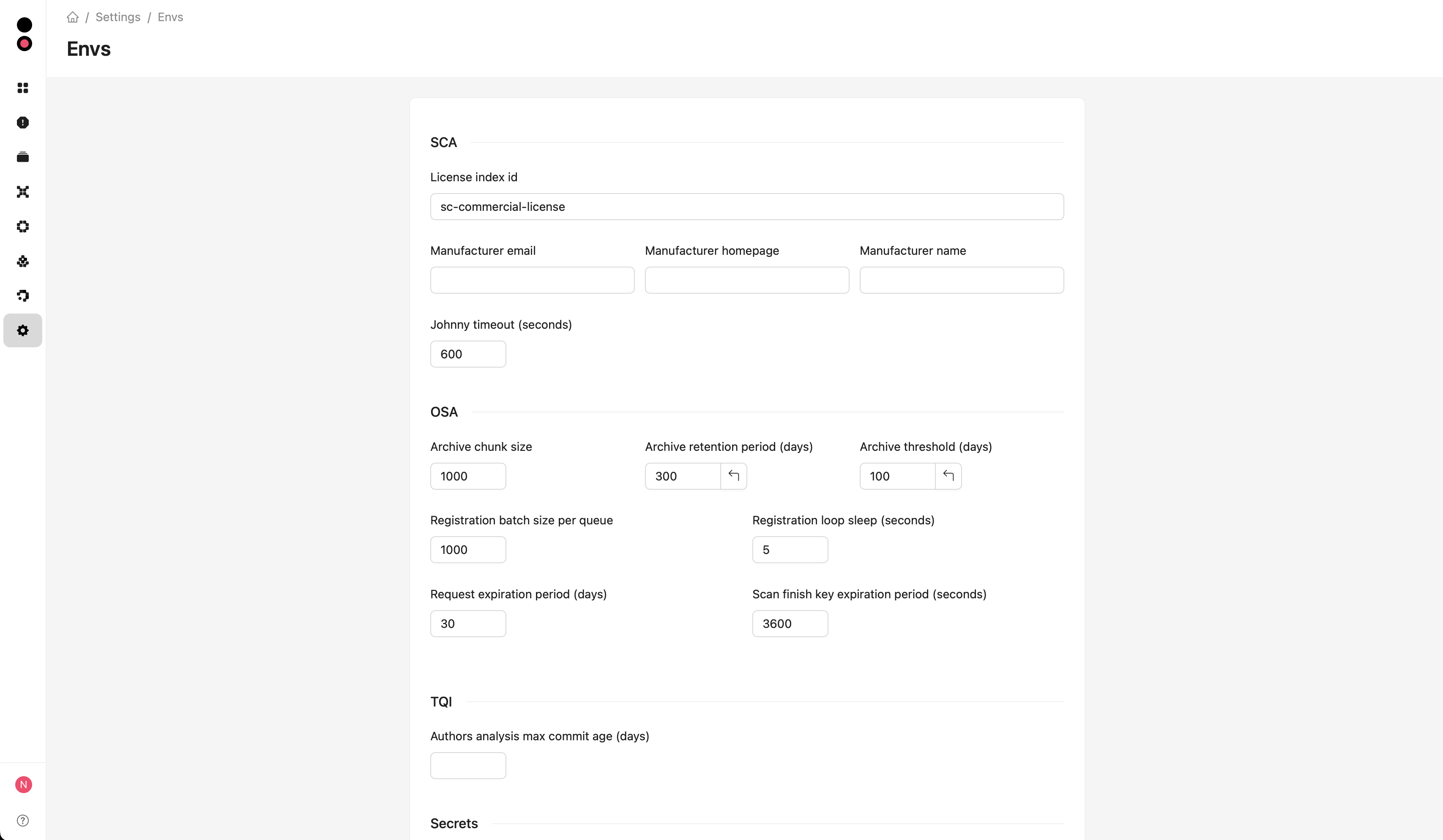
Environment variable settings

Changing settings

  1. Open Settings -> Envs.
  2. Change the required values. To restore a default value, click the arrow button next to a modified field.
  3. Click Save at the bottom of the form.

Settings are stored in the database and apply to subsequent operations without restarting services. Operations already in progress may continue using previous values. Data archiving and cleanup run on a schedule.

The tables below show default values. Current values in your installation may differ. Numeric parameters accept positive integers. The commit age and ML thread count fields can be left empty.

Service startup and connection parameters are described in Installation variables. Parameters in this form are configured through the web interface.

SCA

FieldDescriptionDefault
License index idIdentifier of the license in the catalog offered as the default when selecting a license.sc-commercial-license
Manufacturer emailManufacturer contact email for SBOMs.Empty
Manufacturer homepageManufacturer website URL for SBOMs.Empty
Manufacturer nameManufacturer name for SBOMs.Empty
Johnny timeout (seconds)Maximum duration of an individual Johnny invocation during analysis.600

Manufacturer details provide defaults for empty project or group fields. Values explicitly set in a project or group take precedence.

OSA

FieldDescriptionDefault
Archive chunk sizeNumber of components processed in one batch during archiving and archive cleanup.1000
Archive retention period (days)Time since archiving after which a component can be deleted when automatic cleanup is enabled.30
Archive threshold (days)Time since the last request for a package or container image after which the component is archived.14
Registration batch size per queueMaximum number of requests processed in each OSA queue during one registration pass.1000
Registration loop sleep (seconds)Pause between OSA request registration passes.5
Request expiration period (days)Retention period for OSA request history records, if history recording is enabled in the installation.30
Scan finish key expiration period (seconds)Retention period for the internal result of a completed OSA scan in Redis. Starts when the scan finishes.3600

Automatic archive cleanup is enabled separately using the OSA_ARCHIVE_AUTO_CLEANUP_ENABLED installation variable described in Archiving of CodeScoring OSA Data.

TQI

FieldDescriptionDefault
Authors analysis max commit age (days)Limits the depth of the initial commit history collection. Age is calculated using the dates when commits were recorded in Git, relative to the date of the latest repository commit (HEAD). An empty field means no age limit.Empty

The limit applies when collecting history without a saved starting commit, for example during the first analysis of a new project. When continuing previously collected history, saved commits remain in the system.

Secrets

FieldDescriptionDefault
Max threads in ml workloadsNumber of ONNX computation threads used for ML processing of secret scanning results. When empty, the library selects the thread count automatically.Empty

Index API

These parameters control outgoing requests from the platform to Index API.

FieldDescriptionDefault
Connect timeout (seconds)Time to wait for a connection to be established.60
Read timeout (seconds)Time to wait for response data.60
Write timeout (seconds)Time to wait when sending request data.60
Pool timeout (seconds)Time to wait for a connection from the pool.60
Max connectionsMaximum number of connections in the HTTP client pool.100
Max keepalive connectionsMaximum number of idle connections kept for reuse.20
Retries countMaximum number of request attempts, including the first attempt.3
Sleep period before retry (seconds)Delay before the next request attempt after an error.10
Keepalive expiry (seconds)Time an idle connection is kept for reuse.5
Max items per requestBatch size for operations that send data in batches and the default page size when retrieving updates.100

Platform

FieldDescriptionDefault
Add git suffix to clone pathAppends the .git suffix to GitLab repository clone URLs over HTTPS.Disabled
Media file expiration period (seconds)Retention period for temporary files, including generated reports and exports. Background tasks delete files after this period expires.3600
Dashboard data cache ttl (seconds)Cache lifetime for widget data and the background refresh interval for policy and vulnerability prioritization statistics.60
Analysis ignored pathsShared list of exceptions in glob format. Enter each pattern on a separate line.Default exception list

Shared exceptions are combined with project exceptions. See Analysis exception paths for pattern examples and instructions.

Was this page helpful?