Policy alerts
Policy alerts section
Policy results are displayed in the Policy alerts section. The section has three tabs:
- Active – a list of alerts based on the results of the last analysis (project, build, or component in the proxy repository);
- Ignored – a list of ignored alerts;
- Resolved – a list of alerts that were resolved after the last analysis (the policy condition is no longer relevant).
The policy trigger is displayed in the Matched criteria field, including the specified conditions and the component data found. For example, the value django@4.2.2 has CVE-2024-38875, CVSS3 Score 7.5 >= 7.00 implies that the component blocking policy with CVSS3 equal to or higher than 7.00 was triggered on the django component version 4.2.2 with a vulnerability score of 7.5.
Alert page
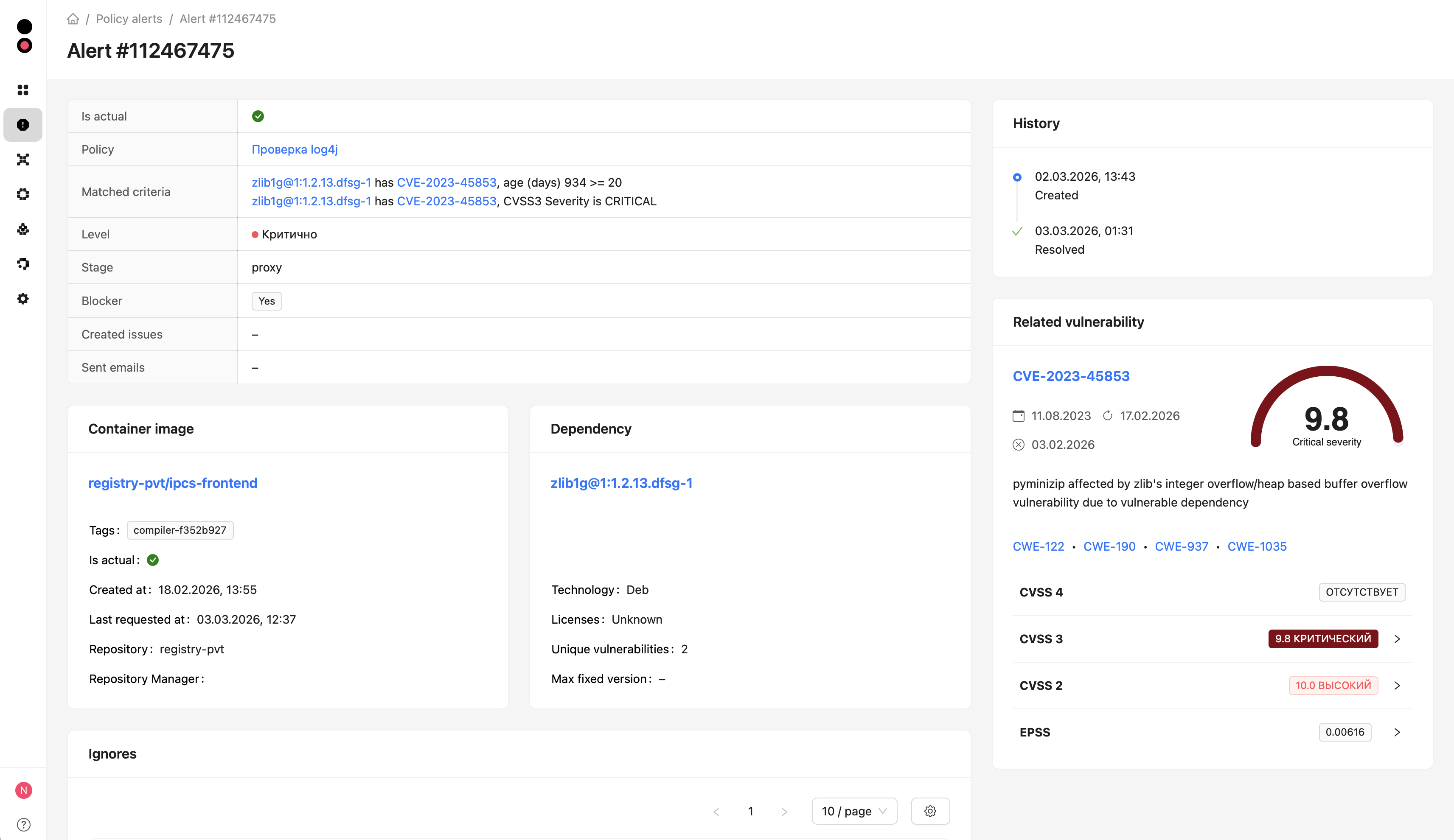
The alert page opens when you click an alert in the list. The header shows the key fields:
- Is actual – whether the alert is current;
- Policy – the policy that triggered the alert (link to the policy page);
- Matched criteria – matched conditions that caused the trigger;
- Level – policy severity level;
- Stage – policy stage;
- Blocker – blocking policy flag;
- Created issues – created tasks (for example, Jira);
- Sent emails – email notification recipents.
Related entities and details are displayed below, depending on the conditions that triggered the alert:
- Project/Container image/Package/Dependency – component details and source (repository, tags, licenses);
- Related vulnerability – short description, CVE, CVSS, and EPSS values;
- History – alert timeline (creation time, ignore time, resolve time).
Alert actions
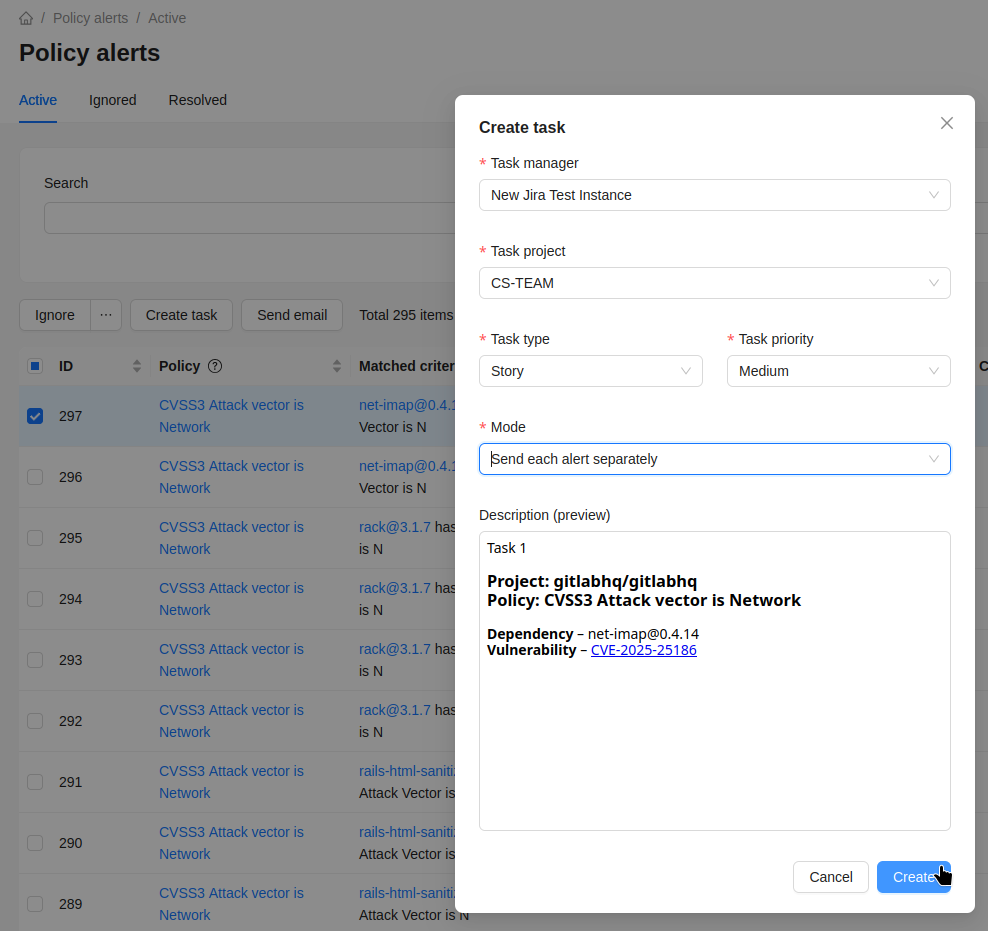
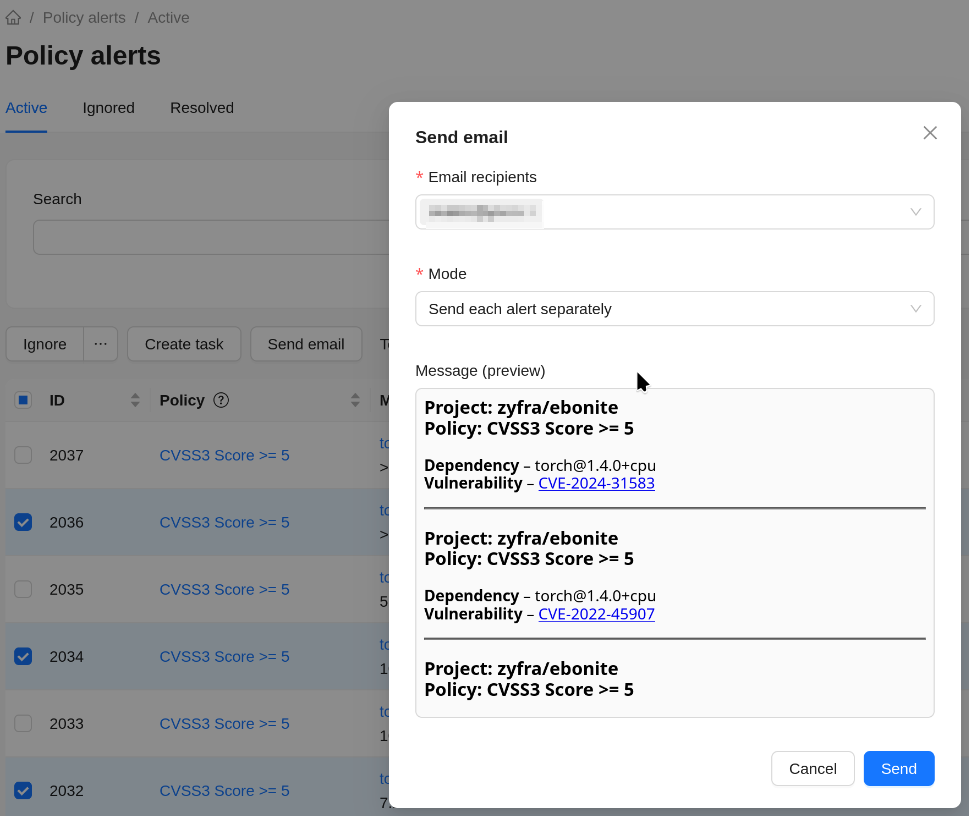
To create a task or send an email from the alerts list, select one or more alerts and click the corresponding button.
For example:
- creating tasks
- sending emails
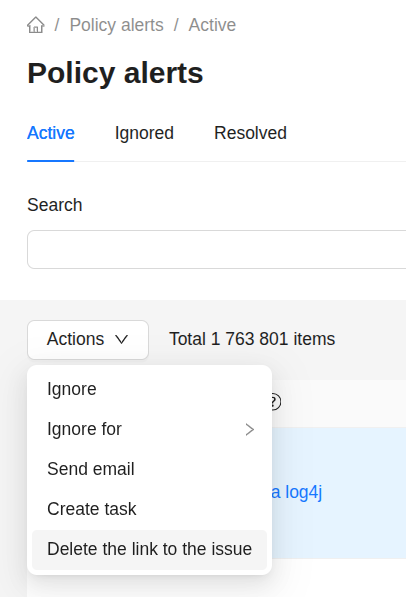
Linked Jira issues can be unlinked using the bulk action Delete the link to the issue.