Working with vulnerabilities
Viewing the list of vulnerabilities
The list of detected vulnerabilities is available in the SCA -> Vulnerabilities subsection. This section displays all vulnerabilities detected by the SCA and OSA modules during their operation.
The vulnerability table contains the following information:
- Vulnerability – the vulnerability identifier (e.g., CVE) with a link to its individual page;
- Dependency – the component in which the vulnerability was detected, including the version;
- Relationship – the type of dependency in which the vulnerability was detected (direct or transitive);
- Environment – the environment in which the dependency is used (e.g., runtime, dev, main);
- Project – the project in which the vulnerable dependency was detected;
- CVSS 2 – CVSS v2 threat score;
- CVSS 3 — CVSS v3 threat score;
- CWE — Common Weakness Enumeration categories to which the vulnerability belongs;
- Exploitable — indicates the presence of a publicly known exploit;
- Reachable — information about the vulnerability's reachability in the context of component usage;
- Impact — type of potential impact of the vulnerability (e.g., XSS, DoS, RCE, etc.);
- Fixed version — version of the dependency in which the vulnerability is fixed;
- Found — date and time when the vulnerability was discovered.
For convenience of analysis, the list of vulnerabilities can be filtered by the following parameters:
- project;
- proprietor;
- project category and group;
- vulnerability publication timeframe;
- detection date;
- cVSS v2 and CVSS v3 rating and threat level;
- technology;
- dependency environment;
- dependency relationship type (direct or transitive);
- exploit presence;
- reachability;
- fixed version;
- CWE;
- vulnerability impact.
Text search by vulnerability ID and related data is also available.
Reachability
For reachable vulnerabilities, it is possible to view the visualization of paths and download their text representation.

Vulnerability page
The individual vulnerability page is designed for detailed analysis of a specific vulnerability and all related information within the platform.
Deduplication of vulnerabilities
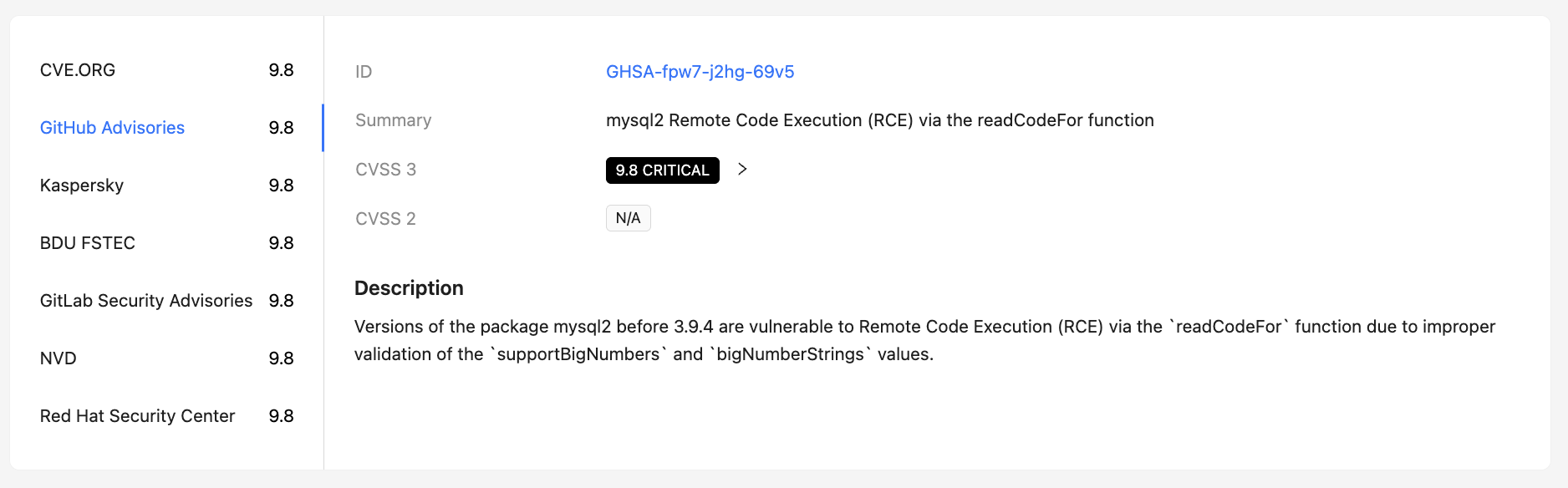
The page displays a single deduplicated vulnerability, even if it was discovered by multiple data sources (e.g., NVD, GitHub Advisories, FSTEC BDU, etc.). The user can also view the original data from each source separately.
General vulnerability information
The top of the page displays summary information about the vulnerability:
- vulnerability ID (e.g., CVE);
- publication and update dates in the data source;
- presence of a publicly known exploit;
- a brief description of the vulnerability;
- associated CWE categories.
The highest threat level score for the most recent CVSS version, taking all sources into account, is displayed on the right.
Below you can see the breakdown by CVSS level, indicating the version and corresponding threat level.

Data sources and scores
A list of sources where a vulnerability was reported is displayed. For each source, the following can be provided:
- its own CVSS score;
- CVSS version;
- additional attributes and metadata of the source.
This allows to compare data from different sources and take into account discrepancies in scores during risk analysis.
Affected dependencies and images
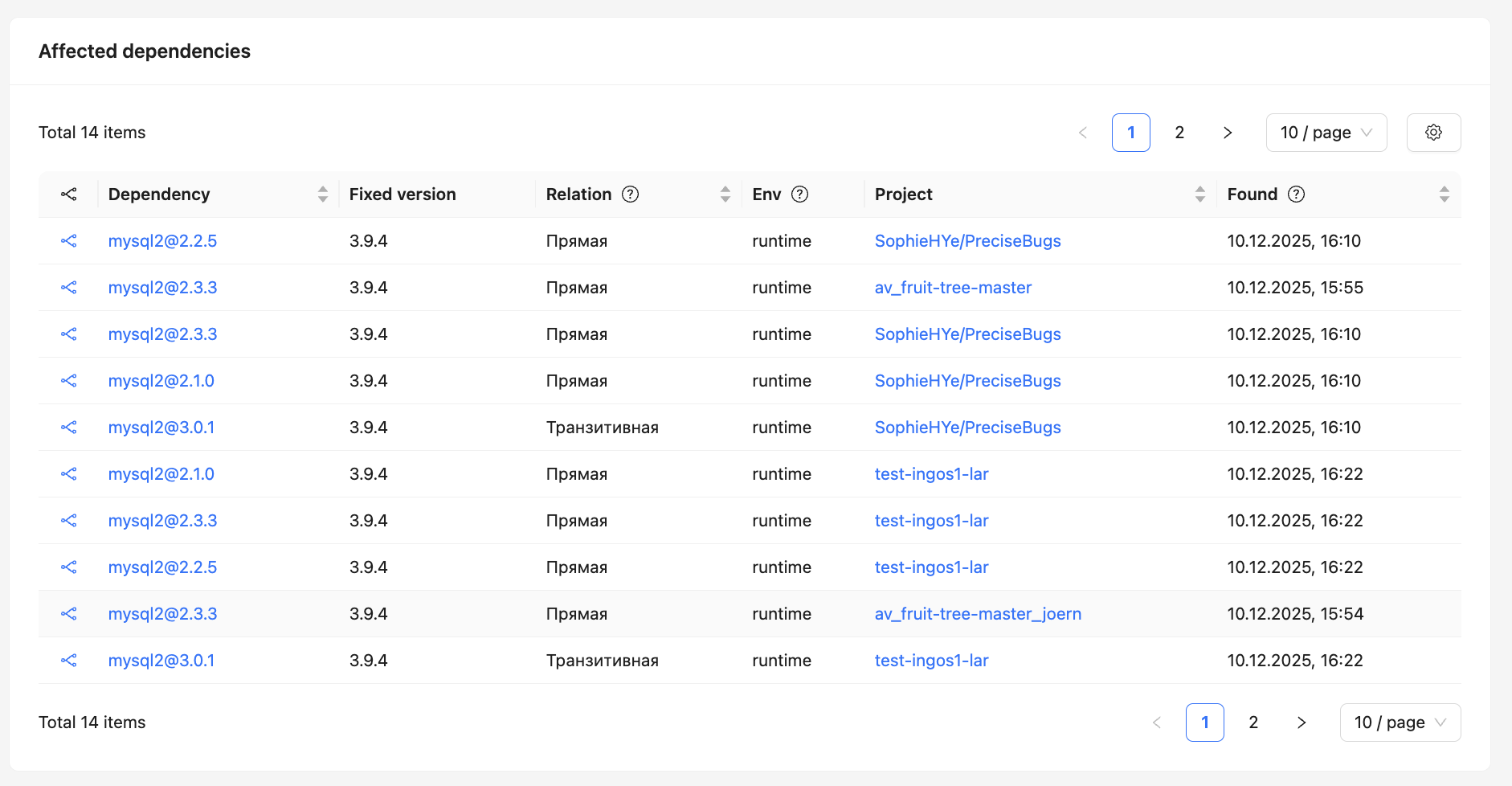
This page displays lists of affected components:
- dependencies detected in SCA projects;
- packages and images scanned by the CodeScoring.OSA module.
This separation simplifies vulnerability analysis in different usage contexts and helps to more accurately assess its impact.
Related alerts
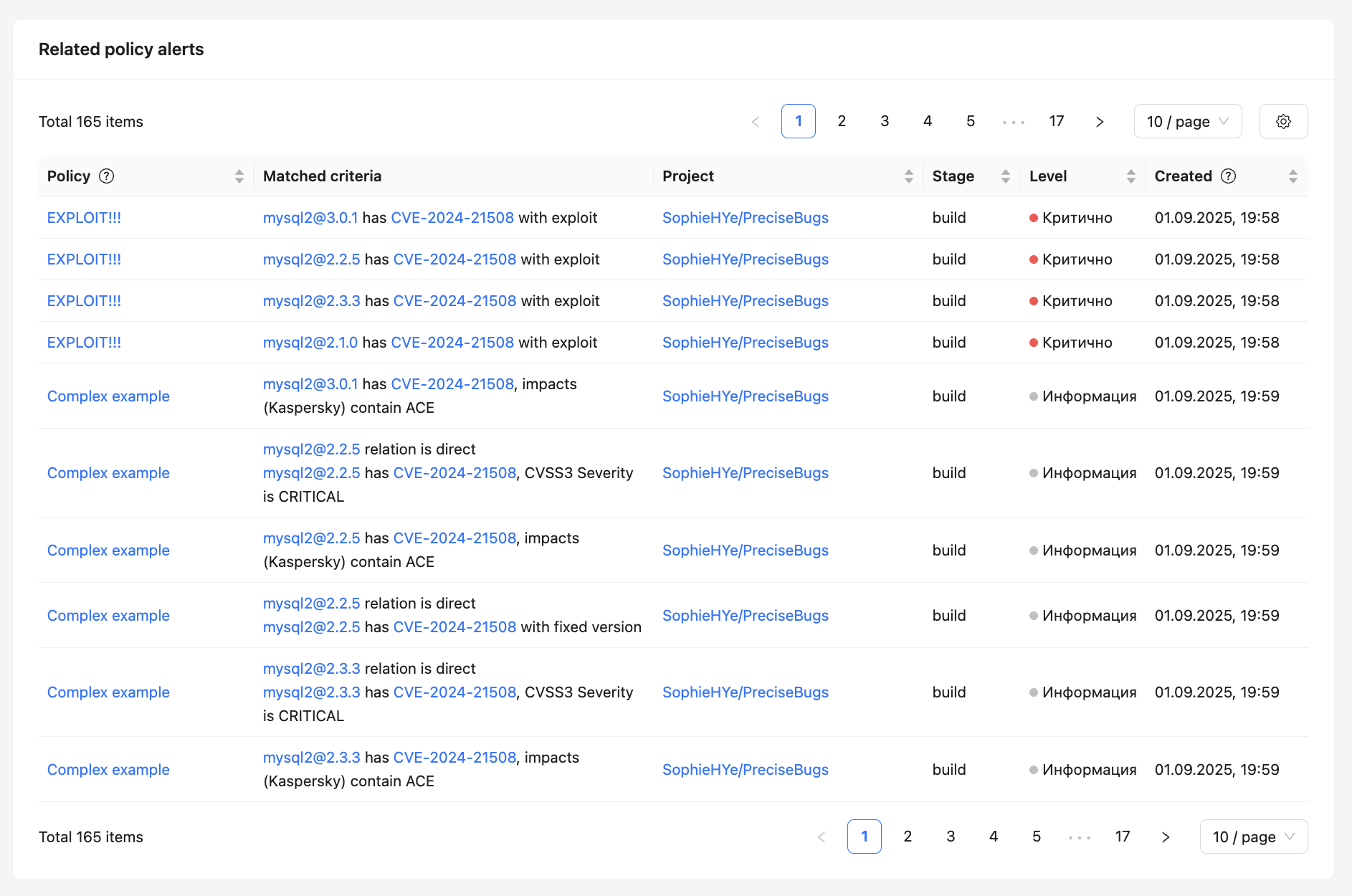
At the bottom of the page, a list of related alerts generated by security policies is displayed.
For each alert, the following is displayed:
- the policy under which it was created;
- triggering conditions;
- project and development stage;
- severity level;
- creation date and time.
This allows to quickly understand which security policies the vulnerability affects and where exactly it impacts the project.
Additional information
The right side of the page also displays:
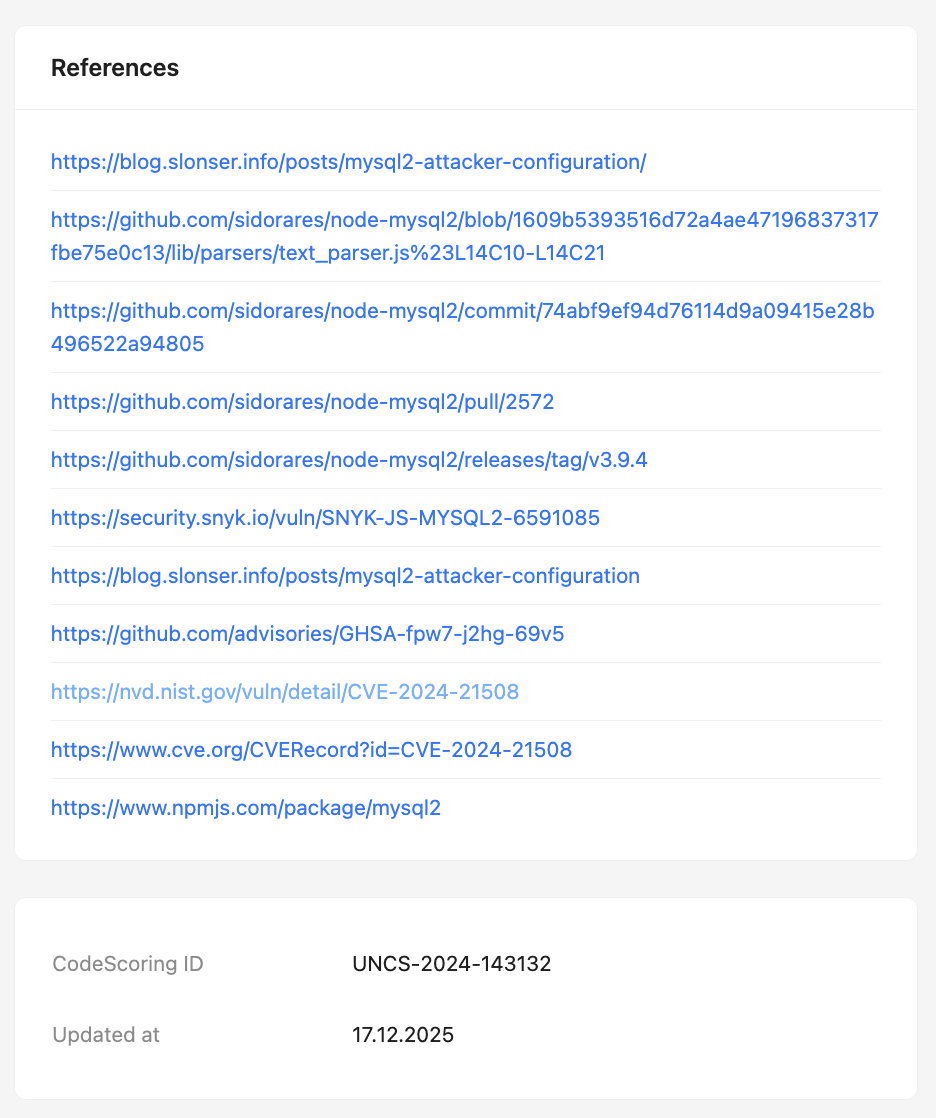
- Links to external resources (NVD, CVE.org, GitHub, and others);
- Internal vulnerability identifier in CodeScoring;
- Date of the last data update.