Plugin for JFrog
Supported repository types: Alpine, Cargo, CocoaPods, Composer, Conan, Conda, Debian, Docker, Go, Maven, NPM, NuGet, PyPI, RPM, RubyGems, Swift.
Installing the plugin
The CodeScoring.OSA plugin supports JFrog Artifactory Pro versions 7.43 and higher.
The plugin comes as an archive with the following structure:
To add a plugin to JFrog you need to:
- Unpack the resulting archive into the
$JFROG_HOME/artifactory/var/etc/artifactory/pluginsdirectory. - Create a file to configure
codescoring.yamlin the directory. An example of the content is in the supplied archive. - Make a request to API JFrog Pro to load the plugin
POST /api/plugins/reload:
Checking the plugin installation
To check the installation of the plugin in the system, you need to check the service logs. Upon successful download and initialization, the following message will appear in the logs:
Plugin update
If you update an archive with a plugin, you must use the following API command for the updates to take effect:
In case of updating the plugin configuration in the codescoring.yaml file, you must use the following API command:
Plugin setup
To configure the plugin, use the codescoring.yaml file.
Example of file content:
Docker repositories
Only Docker/OCI container image manifests are sent to CodeScoring for scanning. This includes legacy Docker schema 1 manifests and images identified by supported filesystem layers. Helm charts, attestations, and other OCI artifacts are skipped. If a manifest cannot be read or classified, it is handled as a scan failure according to the selected plugin mode.
When storeScanProperties: true, a failure while updating scan result properties, including an Item not found error, is logged and does not block the artifact download.
Parameter description
- disablePlugin – disable the plugin;
- codeScoringAPI - settings for the interaction of the plugin with the CodeScoring platform;
- url – CodeScoring platform address (protocol must be specified);
- token – key for authorizing API calls (Created from CodeScoring section
Profile -> Home); - connectionPoolSize – size of the connection pool with the CodeScoring platform;
- timeout - response waiting time (in seconds). By default, if the CodeScoring API does not respond within 60 seconds, the request will be canceled;
- proxy - proxy server settings;
- host - host/IP;
- port - port;
- blockedBuildResponseCode – error code returned when security policies are triggered;
- blockOnErrors - blocking the loading of components in case of an error when interacting with the CodeScoring platform;
- scanAllRepositories - connection of all supported repositories except those specified in the excludeRepositories parameter;
- storeScanProperties - saving the blocking reason and scan time stamp to the artifact properties;
- defaults – default scanning settings for all connected repositories;
- dockerRegistryUrl – Docker registry address;
- workMode – plugin operating mode. The conditions of each operating mode are described in the section below;
- skipScanUser – Artifactory user for whom component scanning is skipped. Necessary so that CodeScoring can independently pick up the component for scanning. The same user must be specified as in the Repo Managers configuration;
- stripRepoNameInDockerImageName – remove the repository name from the image name. Used in the Repository Path approach when working with docker registry. By default, the repository name is appended to the image name;
- repositoryManagerUrl - Artifactory URL. The same URL must be specified in CodeScoring to apply policies across repositories.
- deleteBlocked - delete an artifact blocked by policies;
- repositories – list of repositories for which component scanning is operating. For each repository, you can specify parameters separately, as in the defaults parameter;
- repositoryMasks – list of masks for matching repositories by regular expressions. Each mask supports the same settings as defaults, plus a mandatory pattern field. See "Setting up repository masks" for details;
- excludeRepositoryMasks – list of regex masks for excluding repositories from scanning. Exclude masks take the highest priority;
- excludeRepositories - list of exact repository names excluded from processing by the plugin.
Important: for generic and VCS repositories, be sure to specify one of the following repository types in the Internal Description:
- maven
- npm
- pypi
- nuget
- cocoapods
- go
- gems
- debian
- yum
- alpine
- docker
- composer
- cargo
- conda
- conan
- swift
Setting up repository masks
Masks allow you to configure scanning parameters for groups of repositories without explicitly listing each one, using regular expressions.
repositoryMasks
The repositoryMasks parameter defines a list of masks with regex patterns. Each mask supports the same settings as the defaults section (work mode, skip user, etc.), plus the required pattern field.
Lookup order for a repository's settings:
- Exact match in
repositories - First matching mask in
repositoryMasks - Default settings from
defaults
When scanAllRepositories: false, a matching mask also acts as an inclusion criterion for scanning.
Example:
excludeRepositoryMasks
The excludeRepositoryMasks parameter defines a list of regex patterns for excluding repositories from scanning. Exclude masks take the highest priority and are evaluated before repositories, repositoryMasks, and scanAllRepositories.
Example:
Setting up operating modes
The plugin's operating mode is determined by the workMode variable in the codescoring.yaml file.
The plugin has 6 operating modes that determine the severity of checking components before loading.
- off – component scanning is disabled;
- warmup – loading data into the CodeScoring cache without blocking components;
- spectator – loading data into the CodeScoring cache without blocking components, saving the results of component queries to the platform;
- moderate – blocking components that have not passed the policy check. Loading of unscanned components is allowed;
- strict – blocking components that do not pass the policy check. Loading of unscanned components is prohibited;
- strict_wait – blocking components that have not passed the policy check. Pending verification for unscanned components.
Important: the selected operating mode will affect all repositories specified in the repositories variable.
Setting up logging
The file with logging settings is located at $JFROG_HOME/artifactory/var/etc/artifactory/logback.xml.
To configure plugin event logging, you need to add the following content to the logback.xml file:
Blocking components
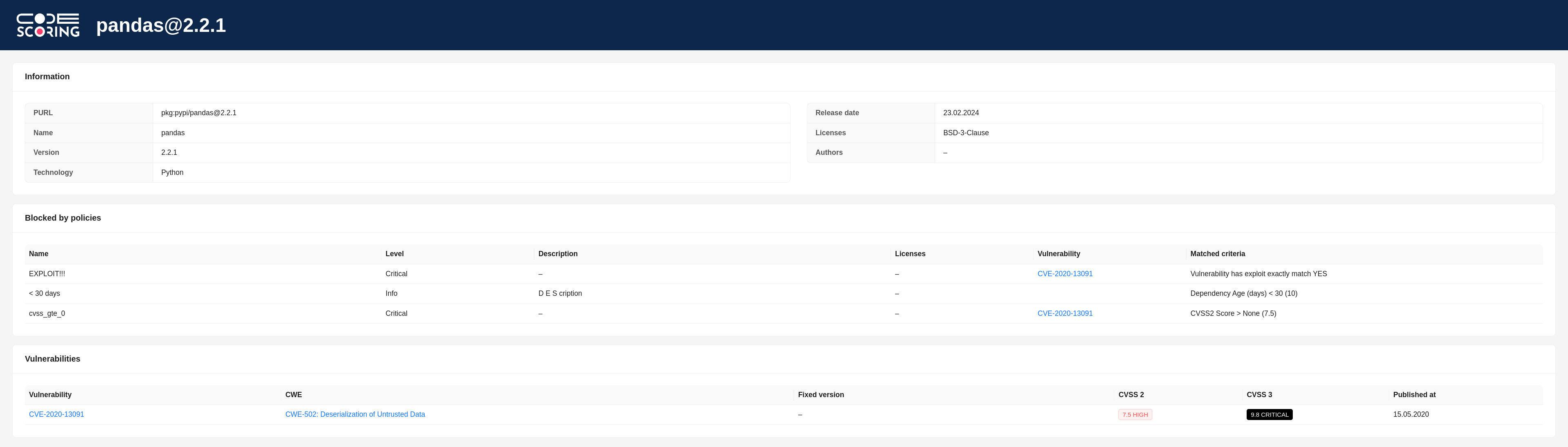
When a component is blocked from downloading, the user console displays one of the following reasons for blocking:
- "The download has been blocked in accordance with the policies configured in CodeScoring" – blocking of the component according to the policies configured on the platform;
- "The component has not yet been scanned by CodeScoring, it is scheduled to be scanned shortly. The download is blocked according to the plugin settings" – blocking an unscanned component and then starting scanning. Used in
strictmode; - "The download has been blocked due to the failure of the scan of the component in CodeScoring" – the component could not be scanned;
- "The download has been blocked due to the wrong mode of the plugin" – incorrect plugin operating mode is used;
- "The download has been blocked due to the timeout of the scan of the component in CodeScoring" – the timeout for scanning the component has expired. Used in
strict_waitmode; - "The download has been blocked, because registry is not configured in CodeScoring" – there is no corresponding Registry on the platform.
The response also contains a link to the component page in CodeScoring with information about triggered security policies and found vulnerabilities:
Important: if a component does not contain a version, it is not sent for analysis to CodeScoring and, accordingly, is not blocked by the plugin.
Working with system packages
Setting up repositories
For plugin to work correctly with system packages of some ecosystems, additional actions must be taken.
Setting up a Debian repository
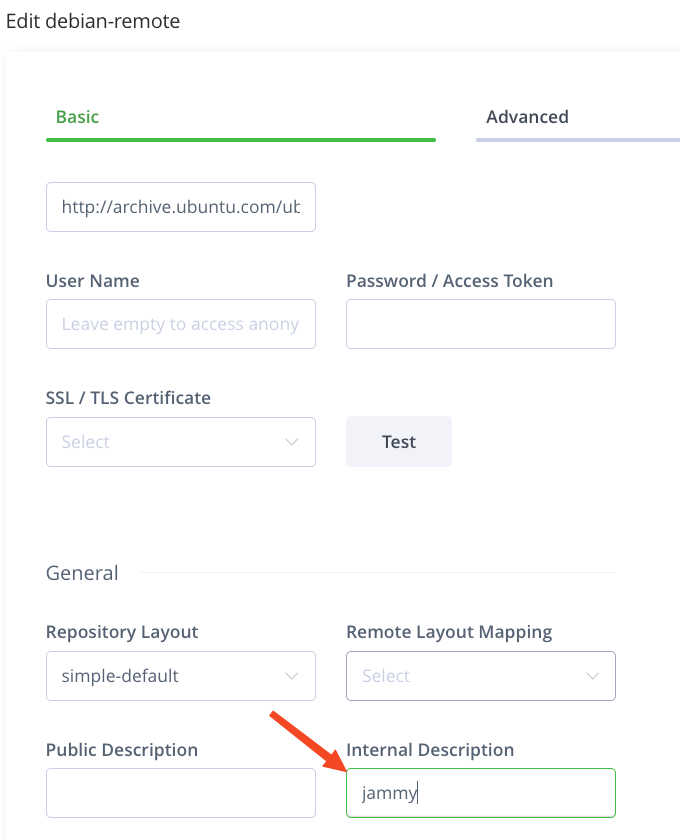
For correct package analysis, you must specify the codename of the distribution from the remote repository, for example "bullseye" for Debian. This name is entered in the Internal Description field. It is used in PURL (Package URL) to improve the accuracy of package analysis.
The codename should be in lowercase and without extra symbols.
List of supported Debian distributions:
- Debian 2.0 – hamm
- Debian 2.1 – slink
- Debian 2.2 – potato
- Debian 3.0 – woody
- Debian 3.1 – sarge
- Debian 4 – etch
- Debian 5 – lenny
- Debian 6 – squeeze
- Debian 7 – wheezy
- Debian 8 – jessie
- Debian 9 – stretch
- Debian 10 – buster
- Debian 11 – bullseye
- Debian 12 – bookworm
- Debian 13 – trixie
- Debian 14 – forky
List of supported Ubuntu distributions:
- Ubuntu 4.10 – warty
- Ubuntu 5.04 – hoary
- Ubuntu 5.10 – breezy
- Ubuntu 6.06 – dapper
- Ubuntu 6.10 – edgy
- Ubuntu 7.04 – feisty
- Ubuntu 7.10 – gutsy
- Ubuntu 8.04 – hardy
- Ubuntu 8.10 – intrepid
- Ubuntu 9.04 – jaunty
- Ubuntu 9.10 – karmic
- Ubuntu 10.04 – lucid
- Ubuntu 10.10 – maverick
- Ubuntu 11.04 – natty
- Ubuntu 11.10 – oneiric
- Ubuntu 12.04 – precise
- Ubuntu 12.10 – quantal
- Ubuntu 13.04 – raring
- Ubuntu 13.10 – saucy
- Ubuntu 14.04 – trusty
- Ubuntu 14.10 – utopic
- Ubuntu 15.04 – vivid
- Ubuntu 15.10 – wily
- Ubuntu 16.04 – xenial
- Ubuntu 16.10 – yakkety
- Ubuntu 17.04 – zesty
- Ubuntu 17.10 – artful
- Ubuntu 18.04 – bionic
- Ubuntu 18.10 – cosmic
- Ubuntu 19.04 – disco
- Ubuntu 19.10 – eoan
- Ubuntu 20.04 – focal
- Ubuntu 20.10 – groovy
- Ubuntu 21.04 – hirsute
- Ubuntu 21.10 – impish
- Ubuntu 22.04 – jammy
- Ubuntu 22.10 – kinetic
- Ubuntu 23.04 – lunar
- Ubuntu 23.10 – mantic
- Ubuntu 24.04 – noble
- Ubuntu 24.10 – oracular
- Ubuntu 25.04 – plucky
- Ubuntu 26.04 – resolute
Browsing Debian package information
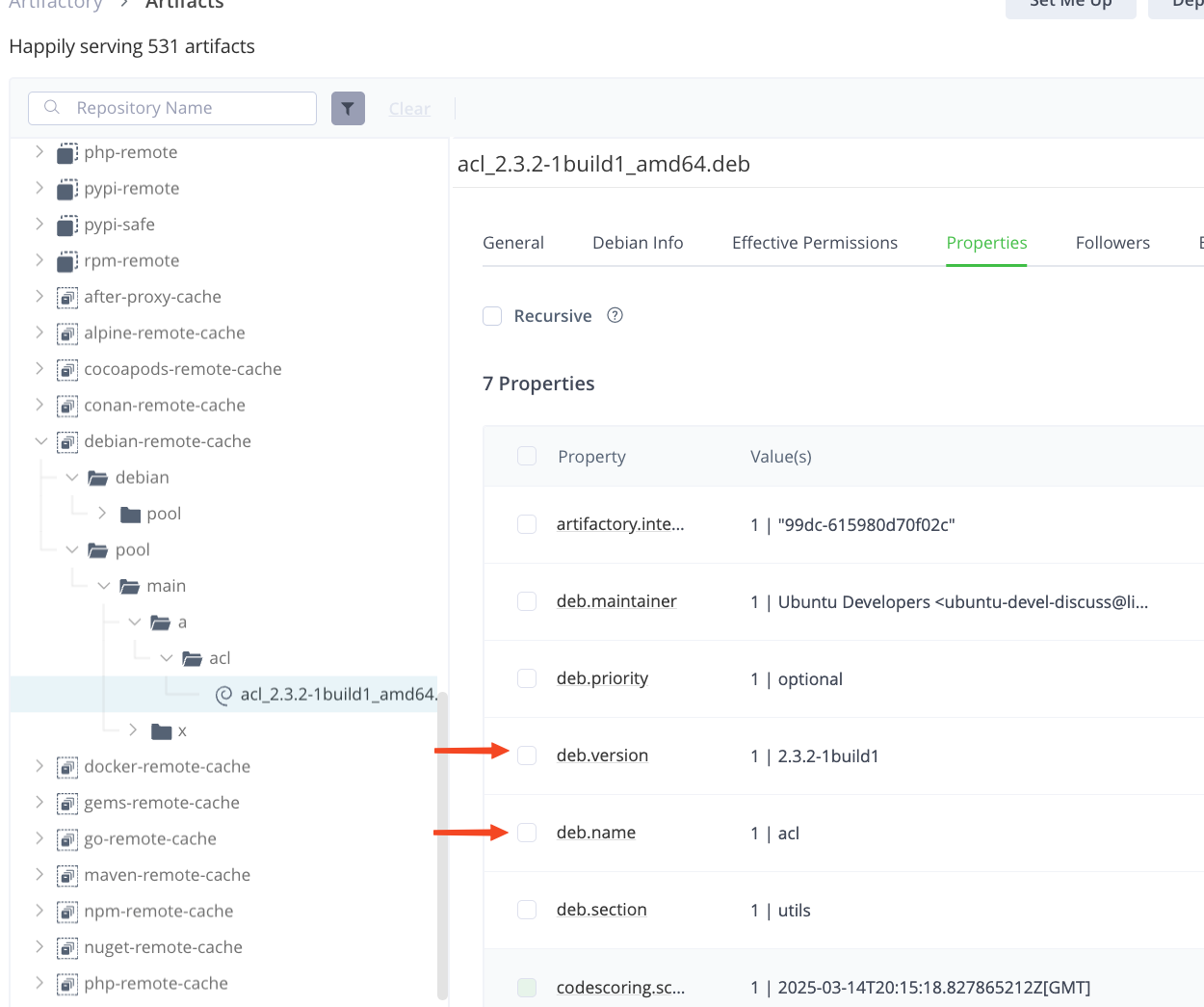
Plugin extracts package information from several sources. First, it gets the package name, version, and architecture from the Properties of the artifact. If Properties are missing, the data for PURL is parsed from the Repository Path.
Browsing RPM package information
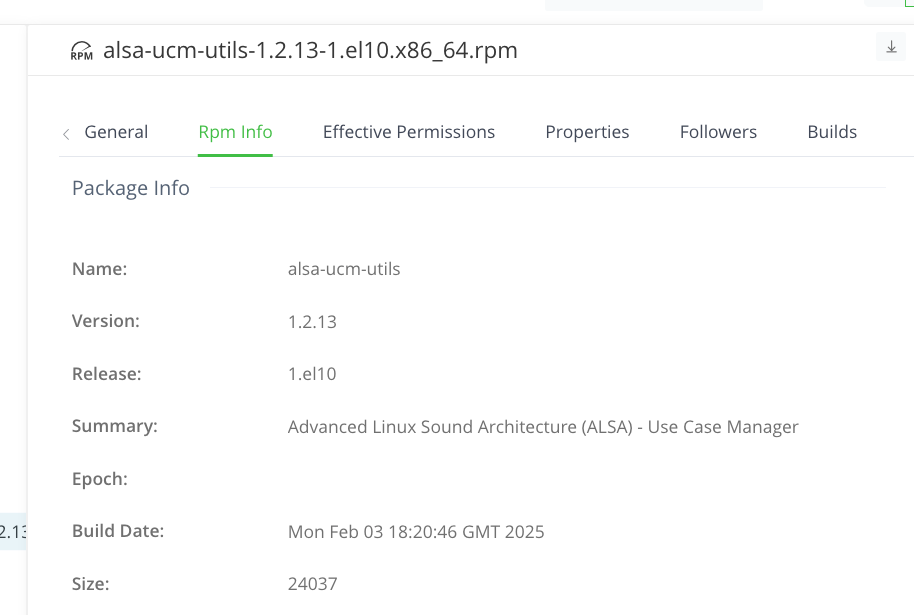
For RPM packages, plugin gets the name, version, and architecture by parsing the Repository Path.