Organizing project groups
Viewing the list of groups
The list of groups can be viewed in the section SCA -> Project Groups. This section displays all the groups available for viewing by the user.
The following information is displayed for each group:
- Name - name of the group and the date of the last update of the project group settings;
- Projects - number of projects in the group;
- Alerts - total number of alerts related to the group's projects;
- Dependencies - total number of dependencies related to the group's projects;
- Unique vulnerabilities - number of unique vulnerabilities associated with the group's projects;
- Technologies - number and list of technologies related to the group's projects.
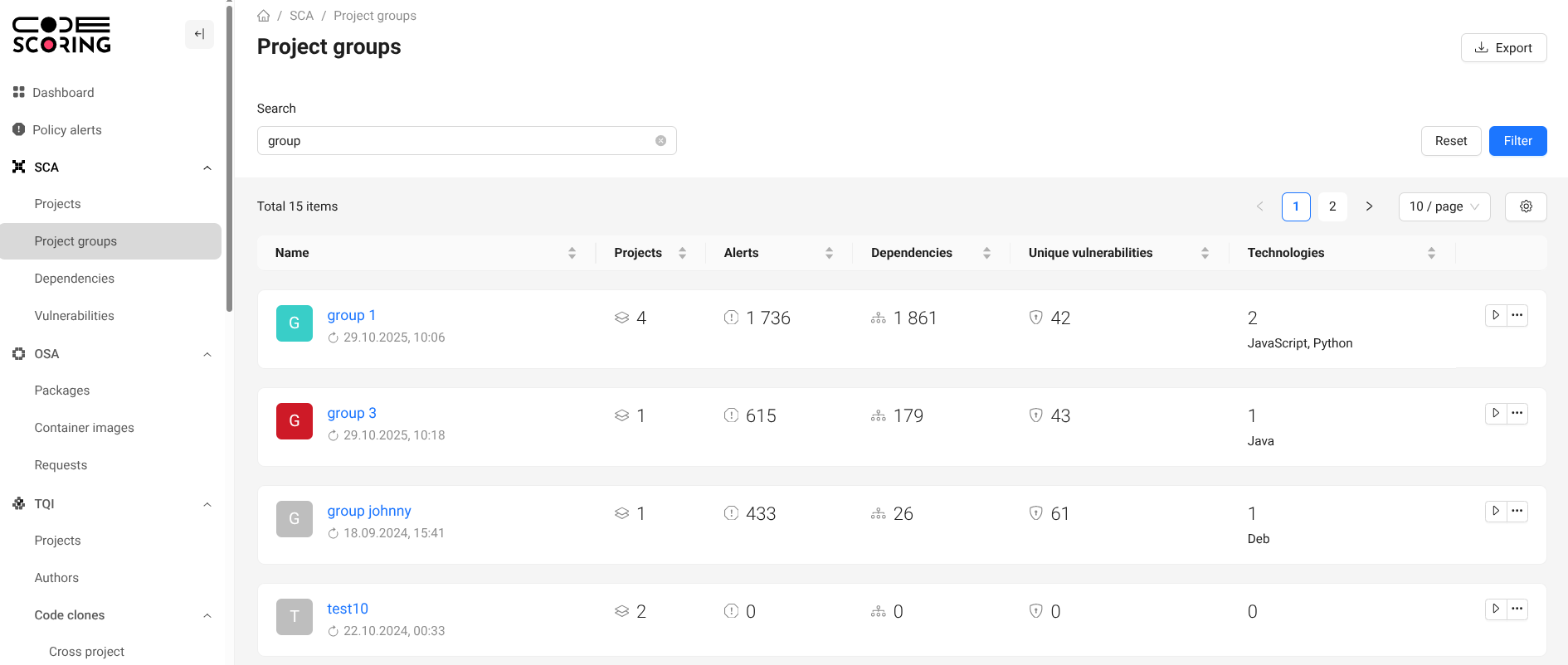
The group displays only the projects included in the group and to which the user has access.
The following actions are available for each entry in the project list:
- Start scanning group projects - starts a scan for all projects in the group;
- Group editing - opens the page Settings -> Groups;
- Deleting a group - deletes a group with a preliminary confirmation of the operation from the user;
- Export to CSV – exports aggregated group data to csv-file;
- Export to SBOM - exports the list of used components (SBOM) obtained after composition analysis for all projects included in the group.
To perform actions, the user must have the appropriate permissions. A description of permissions is provided in section Managing user accounts.
Export SBOM requires that each project has successfully completed a composition analysis.
Project group page
General statistics for the group
The "About" section provides summarized information.
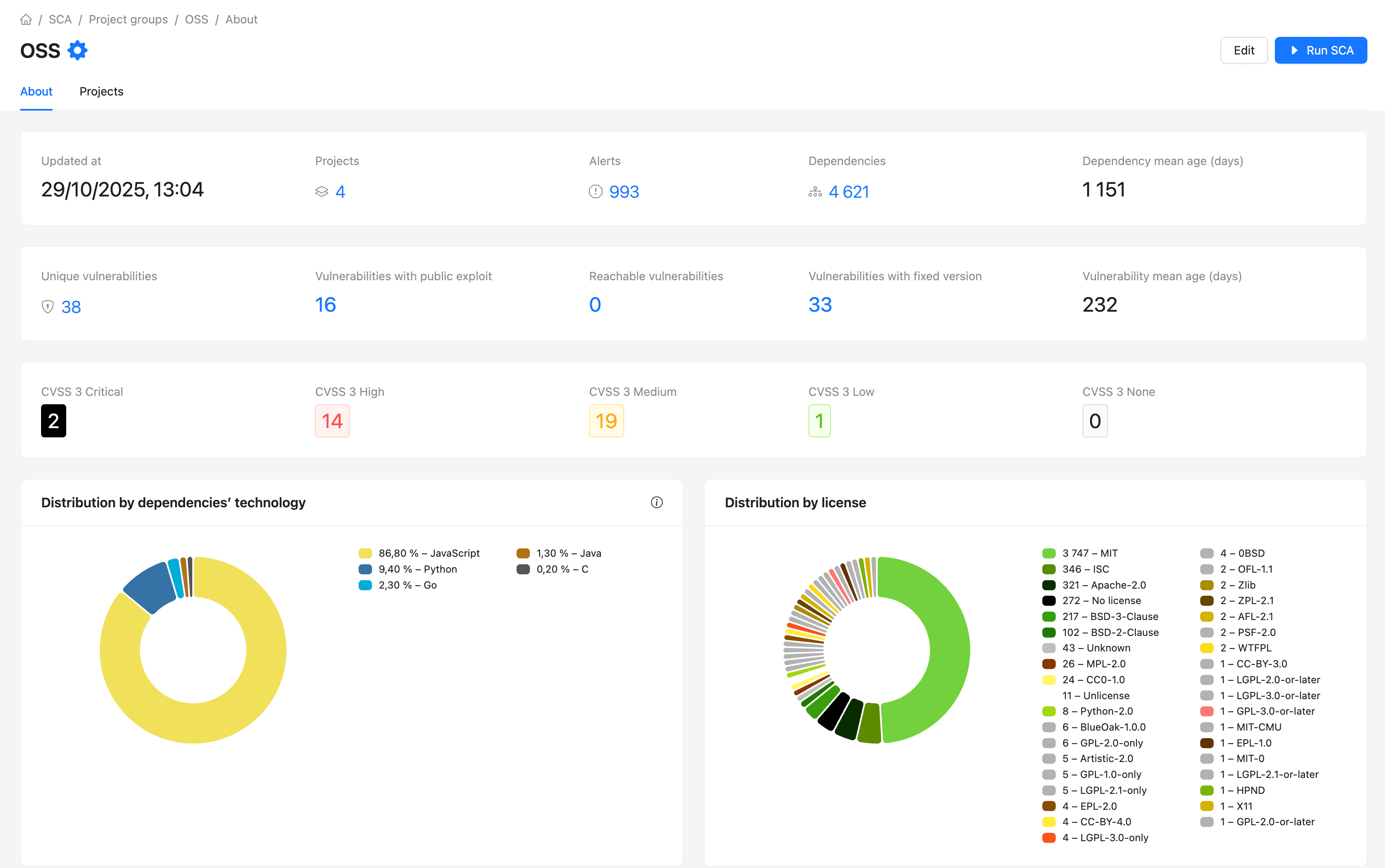
The section also contains the sections Alerts, Vulnerabilities and Dependencies related to the projects of this group.
For convenience, there are standard filters in each section.
Group composition
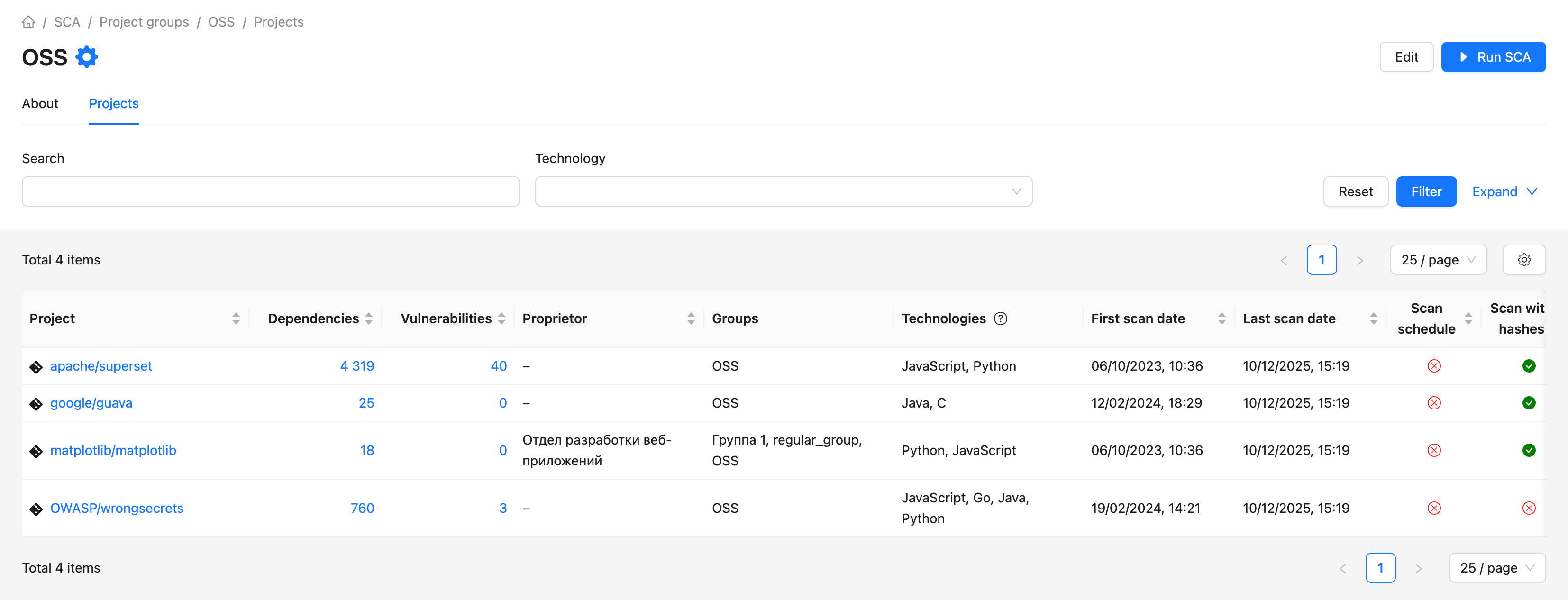
The Projects section contains a list of projects that belong to this group.
For ease of operation, it is possible to filter the list of projects.