
Using the catalog
The catalog combines information about libraries and packages available to the user in CodeScoring. A library groups packages representing different versions of the same component, and a package represents a specific version. For packages, the catalog shows where they are used in SCA projects, OSA packages, and container images. The available data depends on the enabled modules and the user's permissions.
Viewing the library catalog
To open the library catalog, go to Catalog -> Libraries. The table contains the following information:
- Library — library name with a link to its details page;
- First release — date of the library's first release;
- Previous release — date of the release preceding the last one;
- Last release — date of the library's last release.
LURL (Library URL) is a library identifier without a version. For example, a package with the PURL pkg:pypi/openannotatepy@0.1.0 has the LURL pkg:pypi/openannotatepy.
You can search for libraries by name or LURL and filter them by date ranges for the first, previous, and last releases. The table supports sorting and pagination.
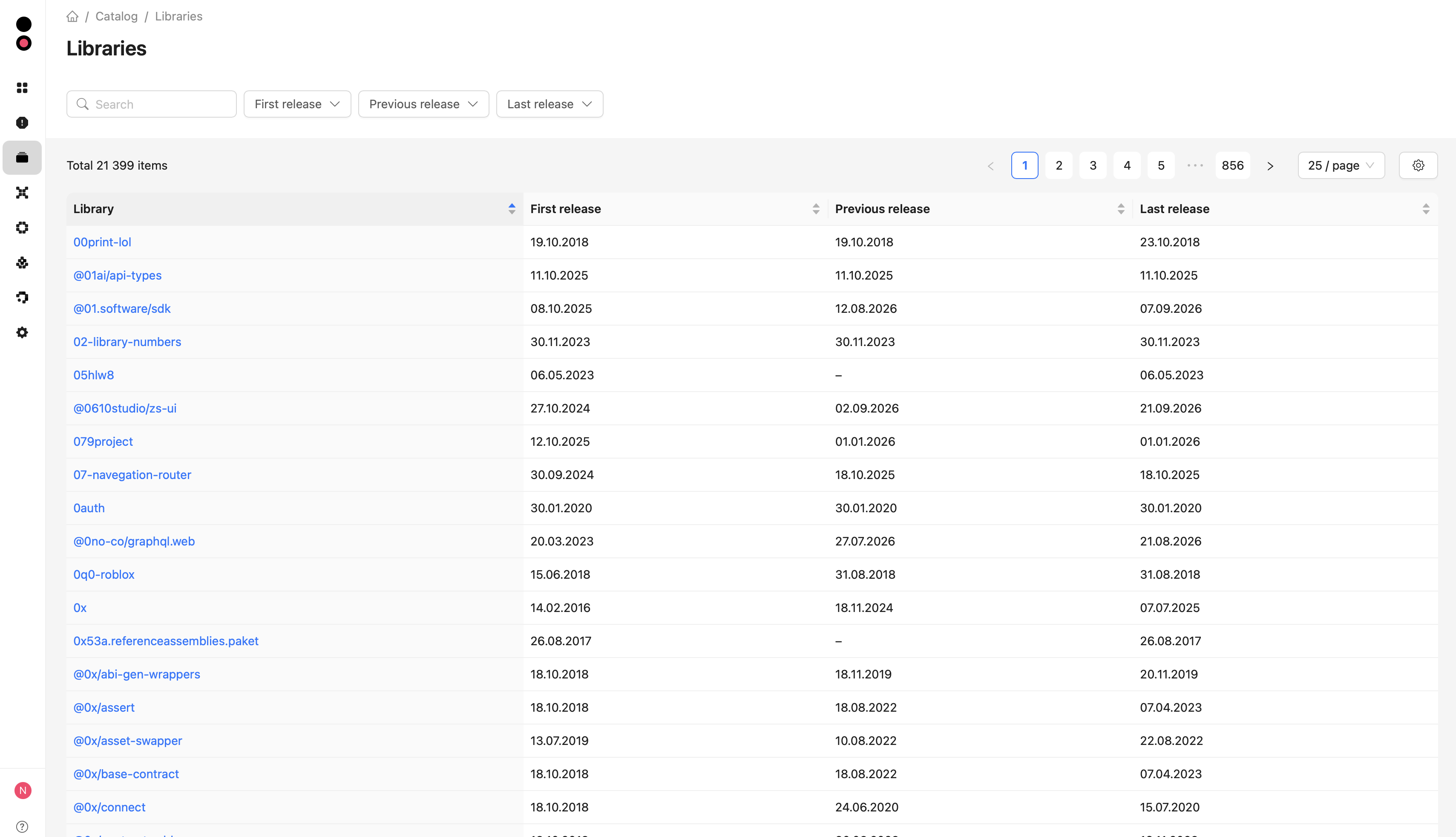
Click the library name to open its details page.
Viewing library information
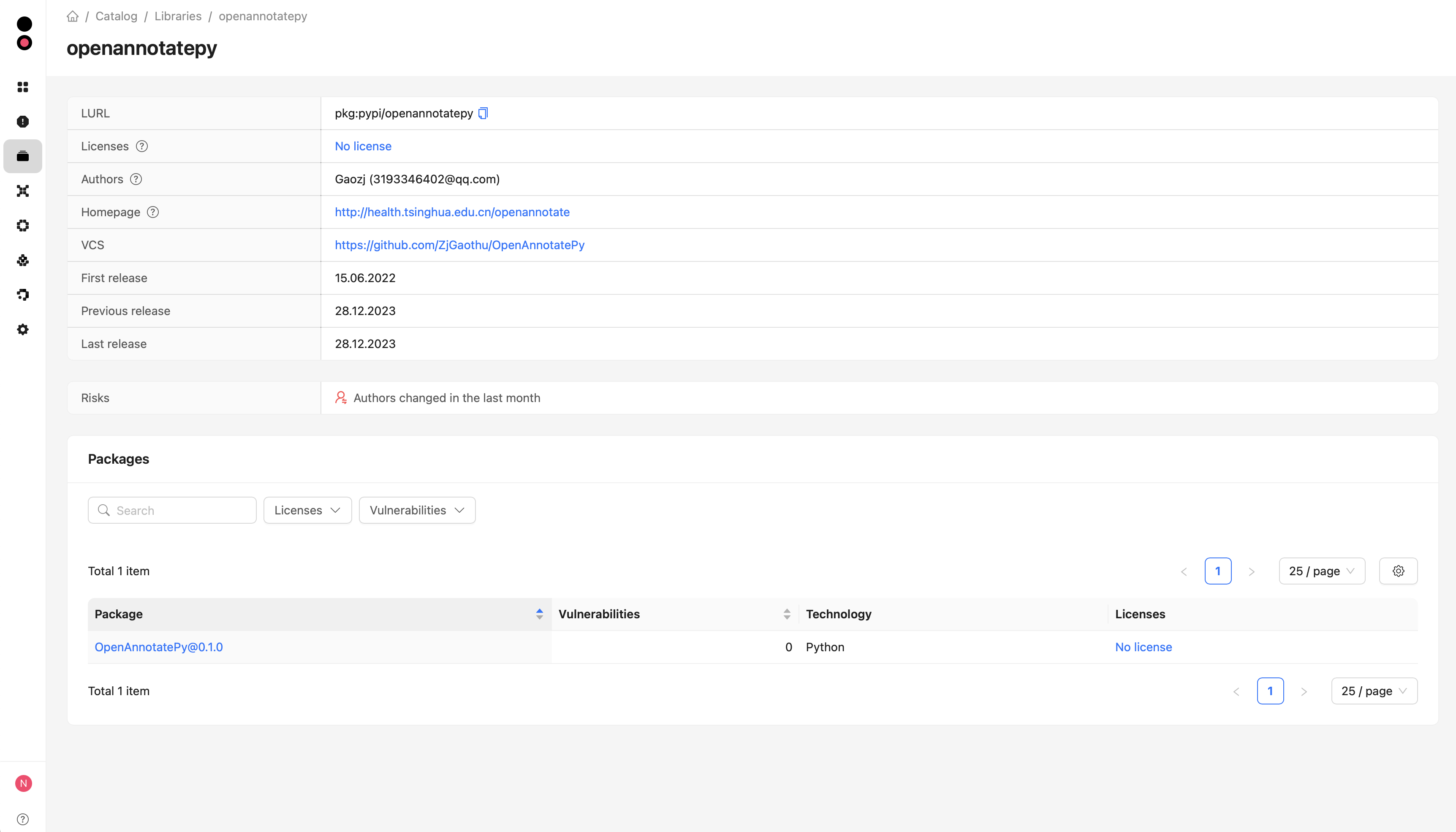
The top of the details page contains general library information:
- LURL — unique library identifier without a specific version, which can be copied;
- Licenses, Authors, and Homepage, when available;
- VCS — link to the source code repository;
- First release, Previous release, and Last release — library release dates.
Licenses, authors, and the homepage are taken from the library's most recently published package available in the catalog. Hover over the hint icon next to a field name to see which package provides the data.
When risks are detected, the Risks section appears below: the presence of protestware or malware versions, as well as changes to the library's authors in the last month.
Viewing library packages
The Packages section lists the library's packages available in the catalog. Each package is shown with its name and version, vulnerability count, technology, and licenses.
The list supports search by name, version, or PURL, filtering by license and the presence of vulnerabilities, sorting, and pagination. Click the package name to open its catalog details page and view vulnerabilities and related data.
Viewing the package catalog
To open the catalog, go to Catalog -> Packages. The table contains the following information:
- Package — package name and version with a link to its details page;
- Technology — programming language or build technology;
- Licenses — package licenses;
- Vulnerabilities — number of vulnerabilities found;
- SCA projects — number of current package occurrences in available SCA projects;
- OSA packages — number of related OSA packages;
- Container images — number of container images in which the package was found.
You can search for packages by name, version, or PURL and filter them by technology, license, and the presence of vulnerabilities. The In SCA project, In OSA package, and In OSA container image filters show packages that are or are not used in the corresponding components.
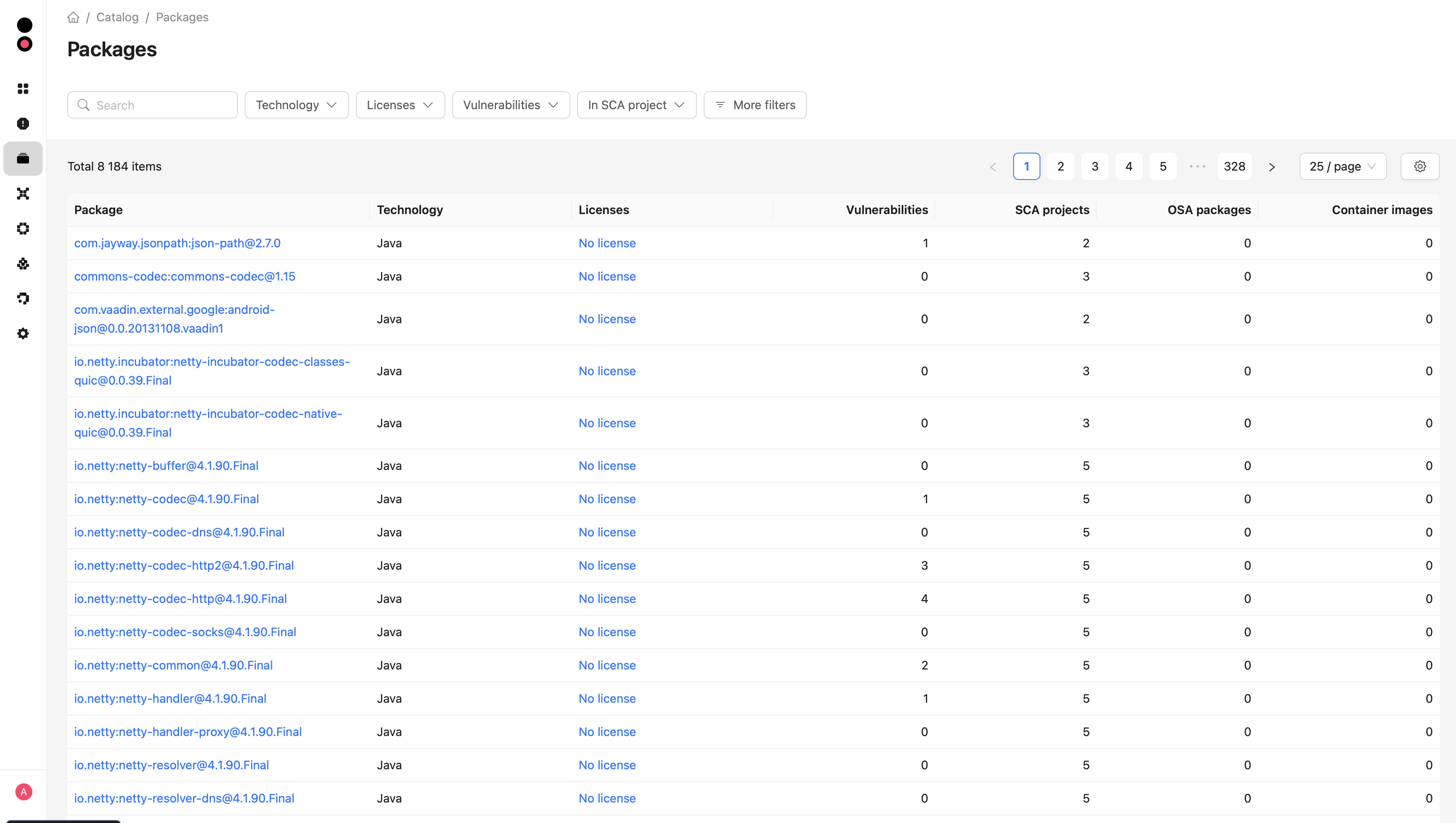
Click the package name to open its details page. You can also open the catalog details page from the PURL link on an SCA dependency or OSA package page.
Viewing package information
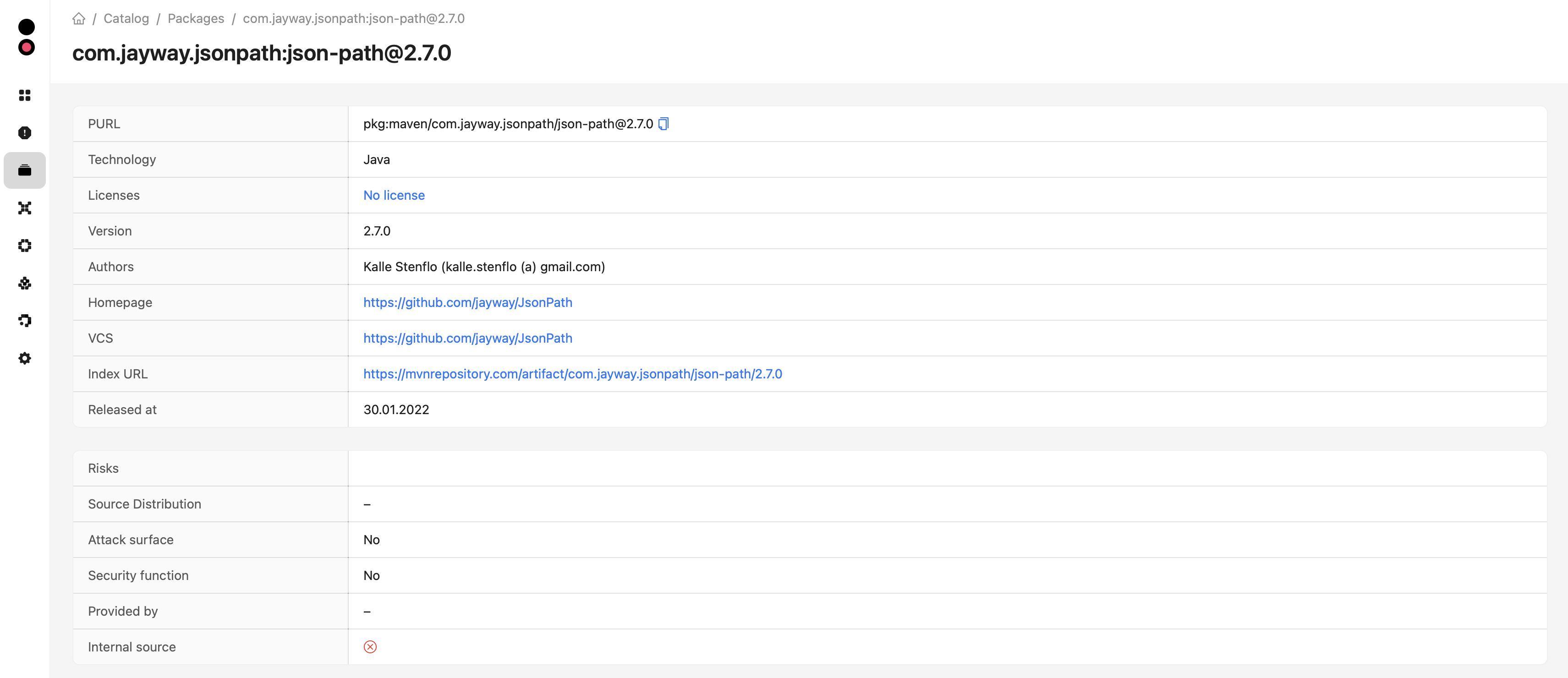
The top of the details page contains general package information:
- PURL — unique package identifier that can be copied;
- Technology, Licenses, and Version;
- Authors, Homepage, VCS, and Index URL, when available;
- Released at — publication date of the package version;
- Status — revoked status when the package is deprecated or yanked in the package index.
When risks are detected, the Risks section also appears below, showing whether the package is protestware or malware and whether its authors have changed since the last release.
Viewing related data
The details page contains the following sections:
- Vulnerabilities — vulnerabilities found, including CVSS scores, SSVC, EPSS, and CWE data, as well as the fixed version. Impact data is also displayed when the Kaspersky feed is enabled;
- OSA packages — related OSA packages with their actuality, technology, block status, latest request date, repository, and repository manager;
- Projects — current package occurrences in SCA projects, including relation type, match type, environment, requirement, files, parent dependencies, and licenses;
- Container images — images in which the package was found, including the registry, number of dependencies and vulnerabilities, block status, and latest scan date.
Search and filtering are available for the project, OSA package, and container image lists. The related-data tables also support sorting and pagination. Project, OSA package, and container image names link to their details pages. The OSA packages and Container images sections are displayed only when the user has the corresponding permissions.