
Managing projects
A project in CodeScoring is a part of the analyzed code base. Project type is no longer selected separately: a project may or may not be linked to a repository in a version control system (VCS).
- With a VCS link – code is cloned from the repository; code refresh, TQI, scheduled secrets search, and branch or tag metadata are available.
- Without a VCS link – the project is suitable for saving scan results from the Johnny console agent or uploading a ready-made SBOM file. A VCS link can be added later in the project settings.
Projects are managed in the Settings -> Projects section.
Creating a project
To open the project creation form, click Create.
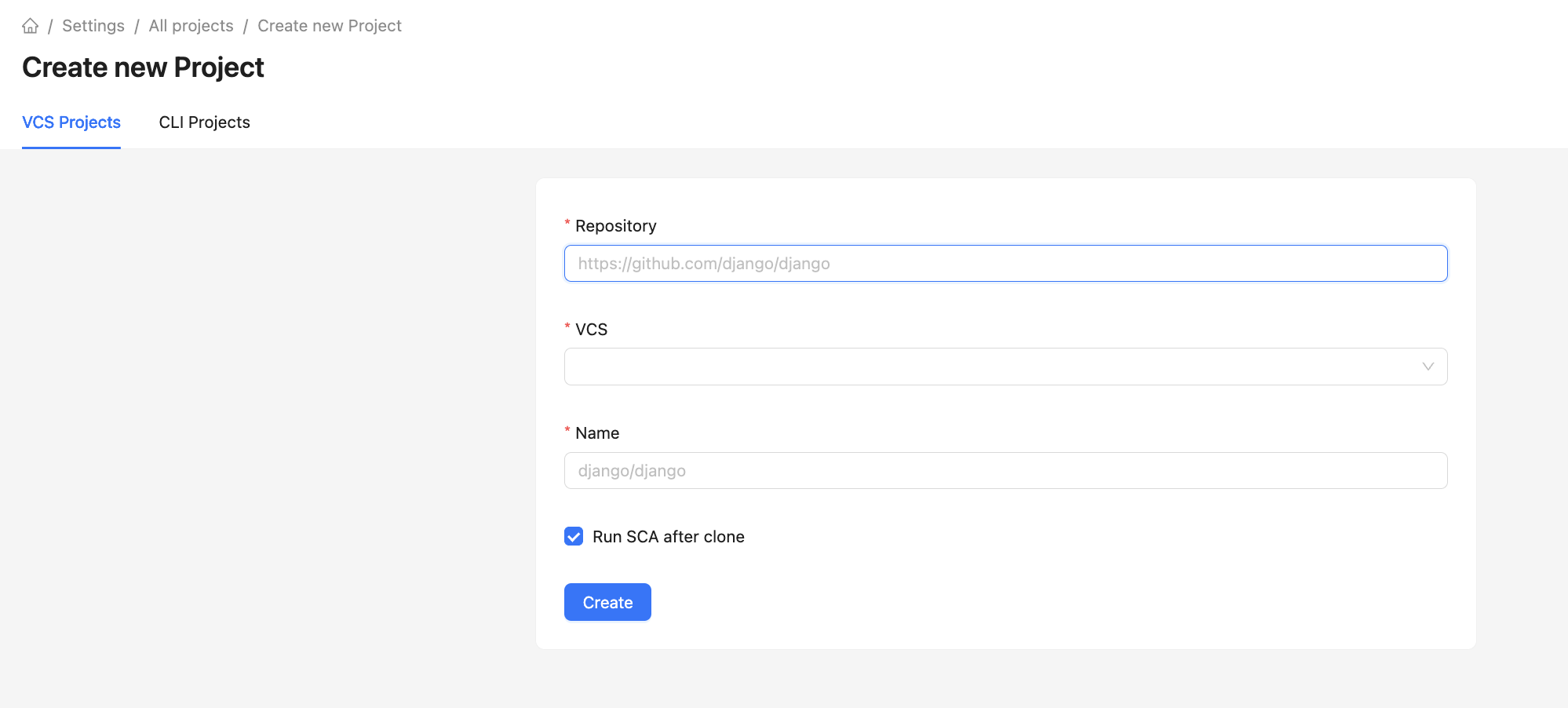
- Specify the project Name.
- Optionally fill in the Repository URL and select a VCS connection. These fields must be filled together: you cannot provide only the URL or only the VCS. If both fields are empty, the project is created without a repository link.
- If the URL and VCS are specified, the Run SCA after clone option is available.
- After saving, if a repository is specified, the initial clone starts; the time depends on the repository size.
- After cloning, the project is available for editing and new analyses.
To create a project linked to a repository, first create a connection to the version control system.
The system accepts repository links in the following formats:
- GitLab
<http/https>://<GitLab Server URL>/<group>/<project>
- GitHub
https://github.com/<username/organisation>/<project>
- BitBucket
<http/https>://<Bitbucket Server URL>/scm/<group>/<project>
- Azure DevOps Git
https://<organisation>.visualstudio.com/<group>/_git/<project>https://dev.azure.com/<organisation>/<group>/_git/<project><http/https>://<Azure Server URL>/<organisation>/<group>/_git/<project>
On the settings page of a project with a linked repository, you can manually update the project code by clicking Update project code.
If the project was created without VCS, open the Repository tab later, click Add VCS, and specify the repository URL and connection. These parameters cannot be changed after saving.
Attention! If the analyzed project is commercial, it is recommended to specify the Commercial License license category for it to ensure that license compatibility policy works correctly.
Creating project categories
Categories are used to group system projects by semantic groups.
Categories are managed in the Settings -> Categories section. You can go to the category creation form by clicking the Create button. To create a category, simply give it a name.
Version control
Version control takes place in the project settings, in the Repository section.
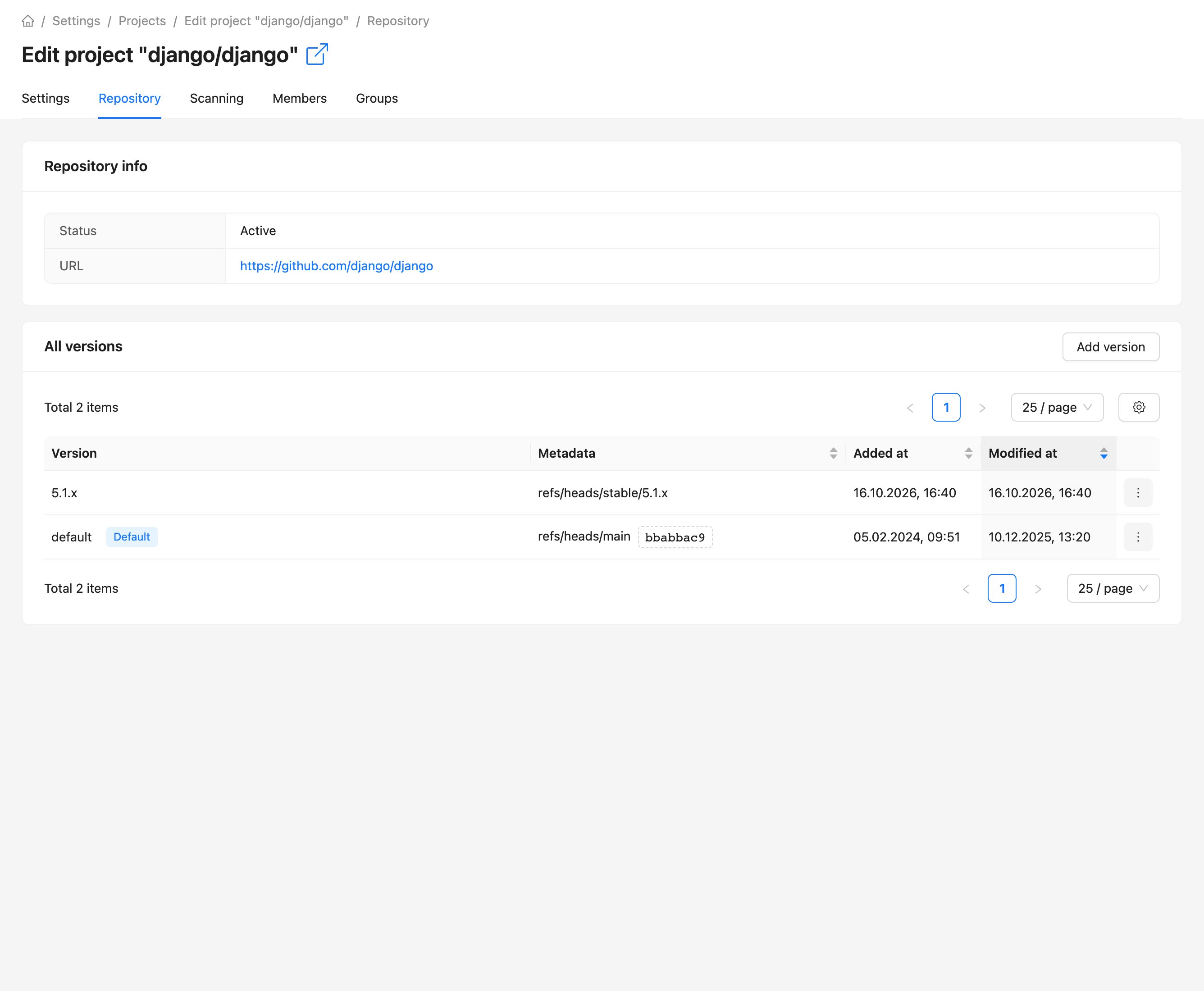
You can add a new version by clicking Add version. A name is enough for a version; the Metadata field is optional. If the project has a VCS link, metadata is selected from repository branches and tags; otherwise the value is entered manually.
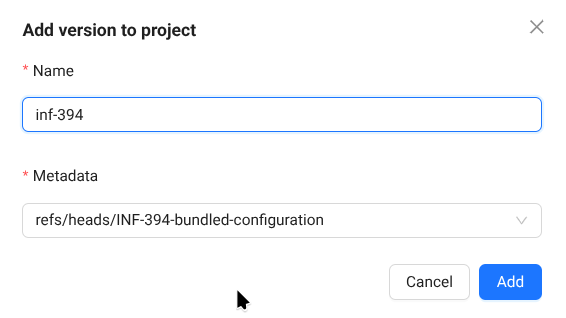
You can also add a new version when scanning the project using the corresponding menu.
You can set the default version by clicking Set as default in the version context menu.
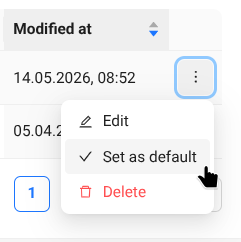
You can delete a version in the context menu of the version entry by clicking the Delete button. The default version cannot be deleted.
When editing a version, you can change the name and metadata.