
Integrating OSS Index
In addition to the internal CodeScoring Index database, you can also connect a third-party feed Sonatype OSS Index for advanced analysis.
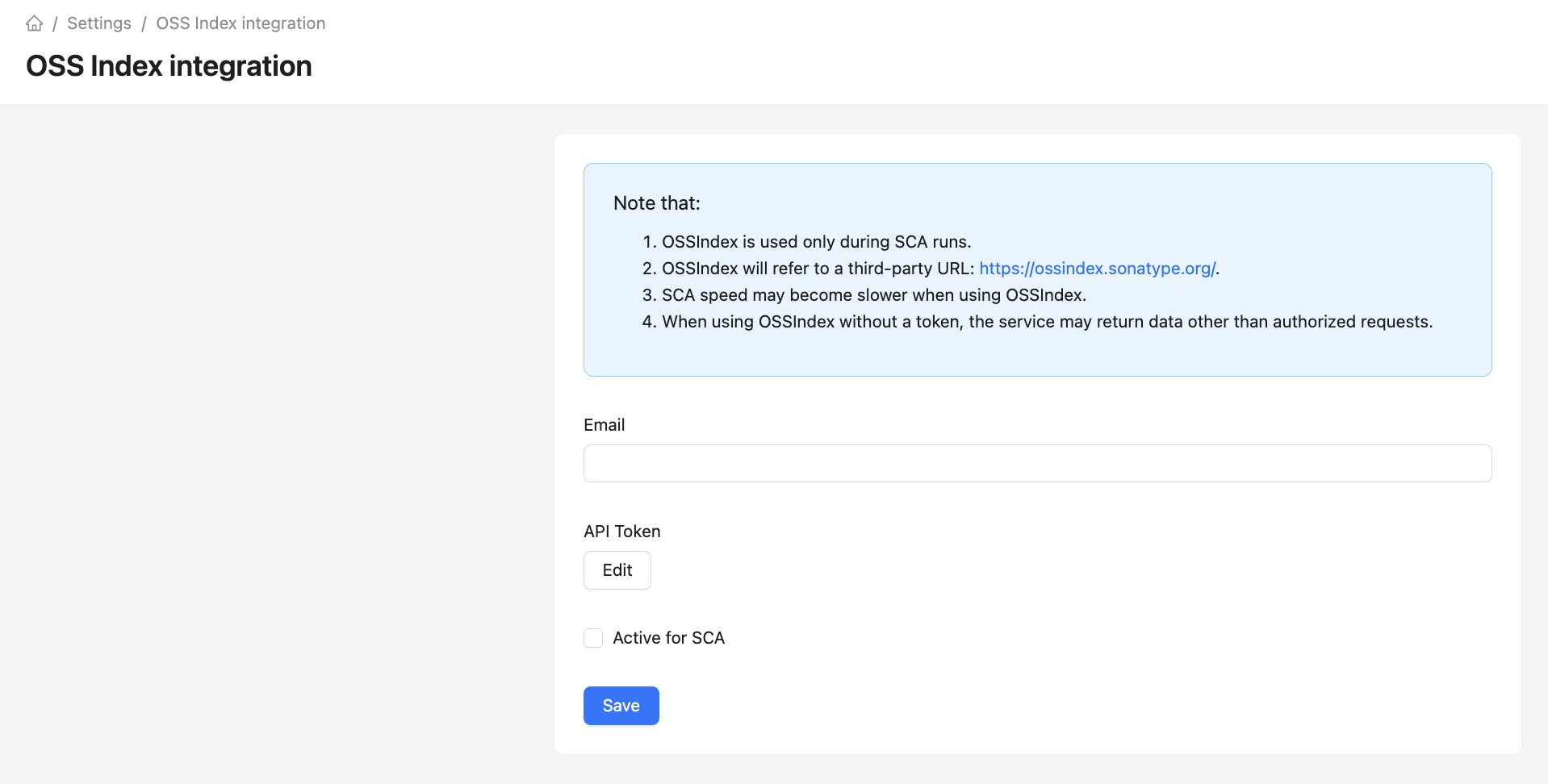
Integration is configured in Settings -> OSS Index. Authenticated requests require Email and the API Token obtained when registering with Sonatype OSS Index.
Using OSS Index requires enabling Active for SCA and saving the settings. When saving an active integration, the system checks OSS Index availability.
Request and cache settings
All numeric parameters accept positive integers. The maximum cache timeout jitter also accepts 0, which disables the random addition. With default values, results are cached for 3600 to 5400 seconds.
Saved changes apply to subsequent operations. An analysis already in progress may continue using previous values.
The OSS Index integration uses a third-party Sonatype OSS Index feed. Data from this source may include false positives and inaccuracies, so it is recommended to use it as an additional source and separately validate results before making blocking decisions.
Important:
- OSS Index is used only during SCA startup.
- OSS Index will refer to a third-party URL: https://ossindex.sonatype.org/.
- SCA speed may decrease when using OSS Index.
- When using OSS Index without a token, the system may return data different from authorized requests.