Working with vulnerabilities
Viewing the list of vulnerabilities
The list of detected vulnerabilities is available in the SCA -> Vulnerabilities subsection. This section displays all vulnerabilities detected by the SCA and OSA modules during their operation.
The vulnerability table contains the following information:
- Vulnerability – the vulnerability identifier (e.g., CVE) with a link to its individual page;
- Dependency – the component in which the vulnerability was detected, including the version;
- Relationship – the type of dependency in which the vulnerability was detected (direct or transitive);
- Environment – the environment in which the dependency is used (e.g., runtime, dev, main);
- Project – the project in which the vulnerable dependency was detected;
- Status — vulnerability triage status;
- CVSS 2 – CVSS v2 threat score;
- CVSS 3 — CVSS v3 threat score;
- CVSS 4 — CVSS v4 threat score;
- Exploitation — the present state of exploitation of the vulnerability according to SSVC;
- Automatable — possibility for an attacker to automatically exploit the vulnerability according to SSVC;
- Technical impact — the technical impact of the vulnerability according to SSVC;
- EPSS — the possibility of vulnerability exploitation according to EPSS;
- CWE — Common Weakness Enumeration categories to which the vulnerability belongs;
- Exploitable — indicates the presence of a publicly known exploit;
- Reachability status — information about the vulnerability's reachability in the context of component usage;
- Impact — type of potential impact of the vulnerability (e.g., XSS, DoS, RCE, etc.);
- Fixed version — version of the dependency in which the vulnerability is fixed;
- Found — date and time when the vulnerability was discovered.
For convenience of analysis, the list of vulnerabilities can be filtered by the following parameters:
- project;
- proprietor;
- project category and group;
- vulnerability publication timeframe;
- detection date;
- CVSS v2, CVSS v3 and CVSS v4 rating and threat level;
- technology;
- dependency environment;
- dependency relationship type (direct or transitive);
- exploit presence;
- reachability status;
- fixed version;
- SSVC rating presence;
- EPSS percentage;
- CWE;
- vulnerability impact;
- status;
- justification;
- response.
Text search by vulnerability ID and related data is also available.
Triage
Triage allows users to manually assign a vulnerability status that reflects its actual impact on the project and the team's planned response. The feature is implemented in accordance with the CycloneDX Vulnerability Exploitability analysis specification.
The Security Manager or Administrator access level is required to perform triage.
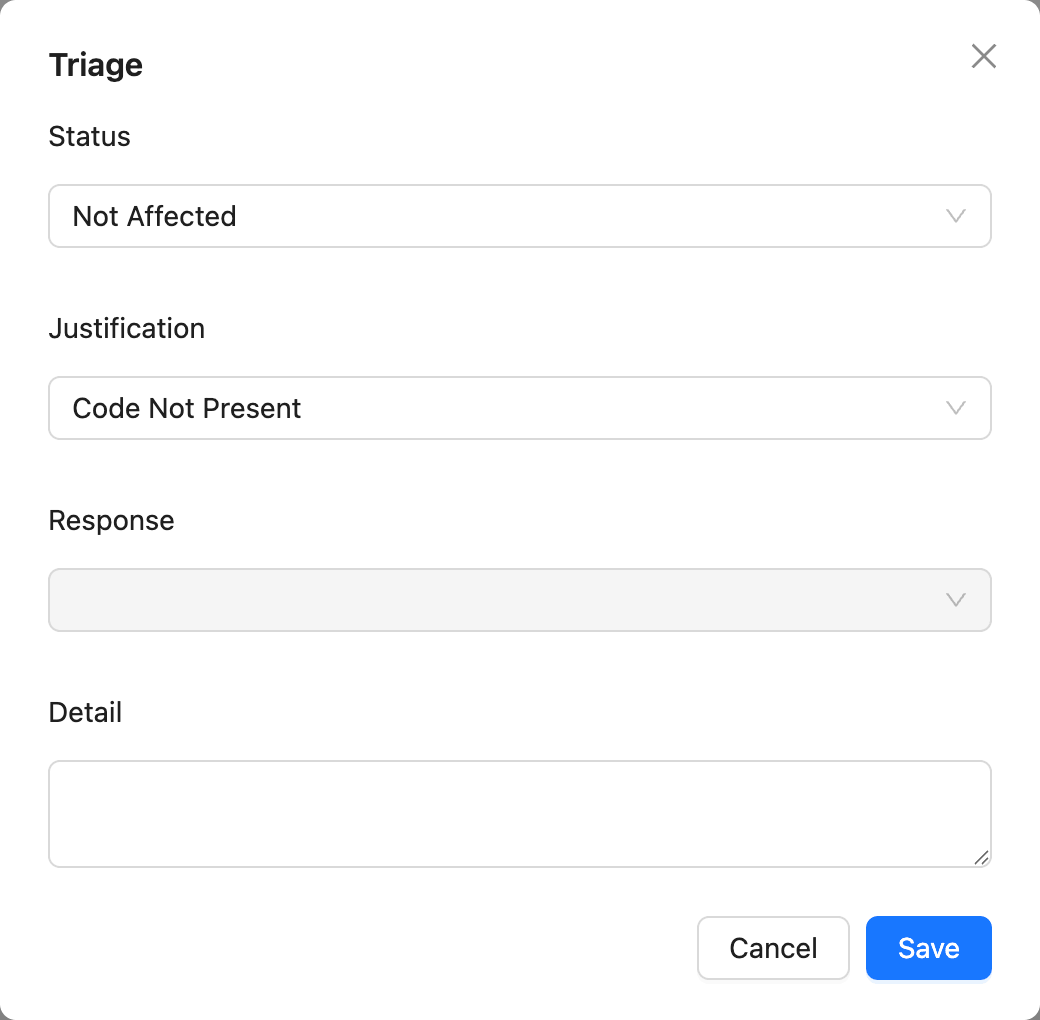
To perform triage, select one or more vulnerabilities in the list and click the Triage button above the table. A modal dialog will open with the following fields:
- Status — the vulnerability status reflecting its applicability to the project;
- Justification — the reason for assigning the Not Affected status;
- Response — the planned or implemented response to the vulnerability;
- Detail — a free-text field for additional comments or context.
The Triage modal uses the following value sets.
Status values
Justification values
Justification explains why a vulnerability is marked as Not Affected.
Response values
Response records the planned or implemented action for the vulnerability.
After saving, the assigned status is displayed in the Status column of the vulnerability list and can be used as a filter.
Reachability
Status values
For reachable vulnerabilities, it is possible to view the visualization of paths and download their text representation.

Vulnerability page
The individual vulnerability page is designed for detailed analysis of a specific vulnerability and all related information within the platform.
The page displays a single deduplicated vulnerability, even if it was discovered by multiple data sources (e.g., NVD, GitHub Advisories, FSTEC BDU, etc.). The user can also view the original data from each source separately.
General vulnerability information
The top of the page displays summary information about the vulnerability:
- vulnerability ID (e.g., CVE);
- publication, withdrawal (if exists) and update dates in the data source;
- presence of a publicly known exploit;
- is vulnerability a protestware;
- possibility of reachability analysis;
- whether the vulnerability was used in Ransomware;
- a brief description of the vulnerability;
- associated CWE categories.
Publication and withdrawal dates are the earliest dates among all the sources. Update date is the latest one.
Vulnerability ID and description are displayed from the sources in the following order:
- CVE.ORG;
- GHSA;
- Kaspersky;
- BDU;
- Other sources in alphabetical order.

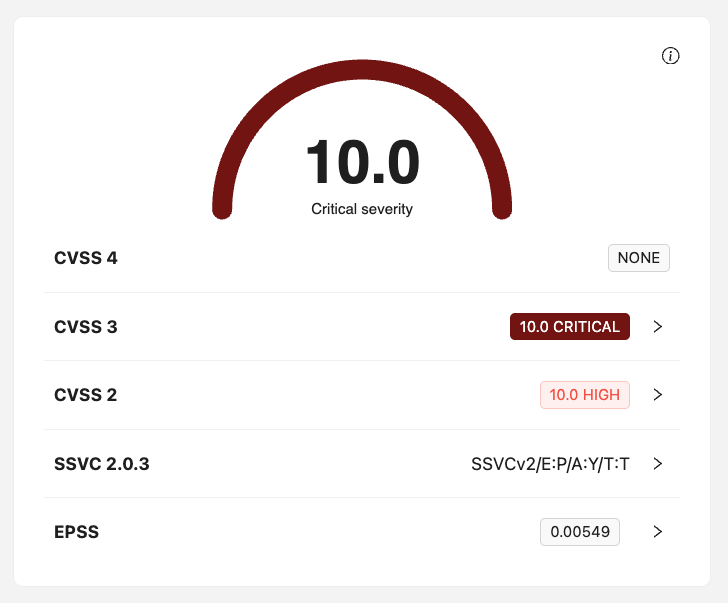
The highest threat level score for the most recent CVSS version, taking all sources into account, is displayed on the right.
Score, severity level and other metrics are displayed from the source with the highest score for each CVSS version.
Below you can also see the following information:
- breakdown by CVSS level, indicating the version and corresponding threat level;
- SSVC vector for vulnerability categorization;
- EPSS probability of vulnerability exploitation.
Data sources and scores
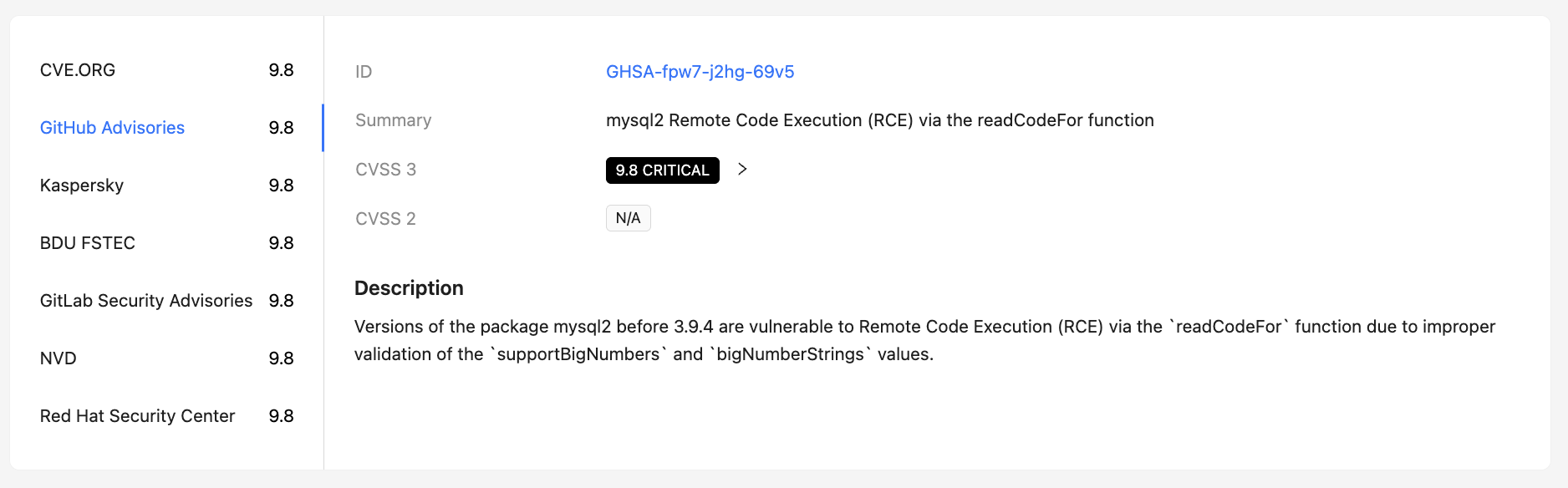
A list of sources where a vulnerability was reported is displayed. For each source, the following can be provided:
- its own CVSS score;
- CVSS version;
- SSVC vector for vulnerability categorization;
- EPSS probability of vulnerability exploitation;
- additional attributes and metadata of the source.
This allows to compare data from different sources and take into account discrepancies in scores during risk analysis.
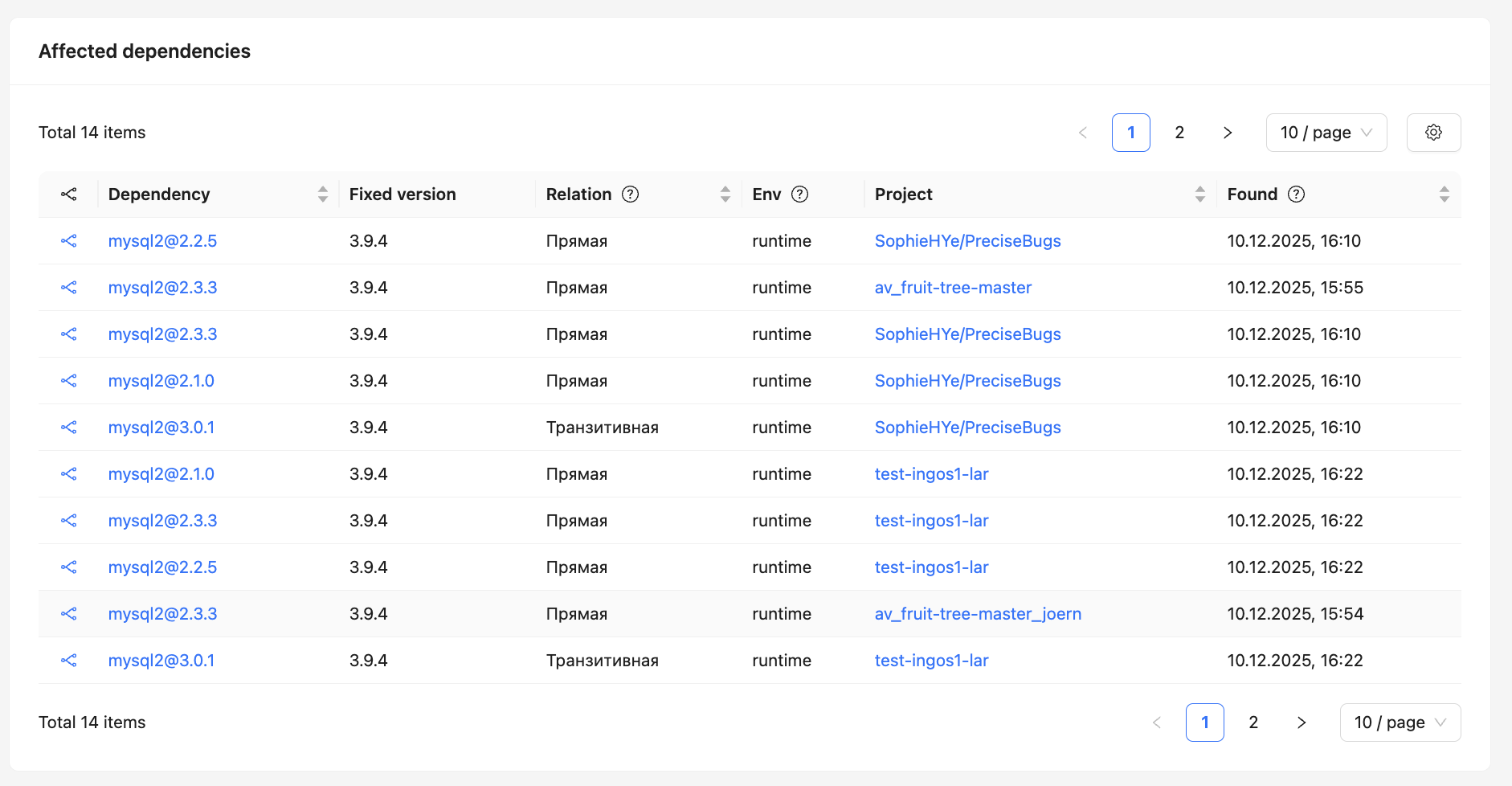
Affected dependencies and images
This page displays lists of affected components:
- dependencies detected in SCA projects;
- packages and images scanned by the CodeScoring.OSA module.
This separation simplifies vulnerability analysis in different usage contexts and helps to more accurately assess its impact.
Related alerts
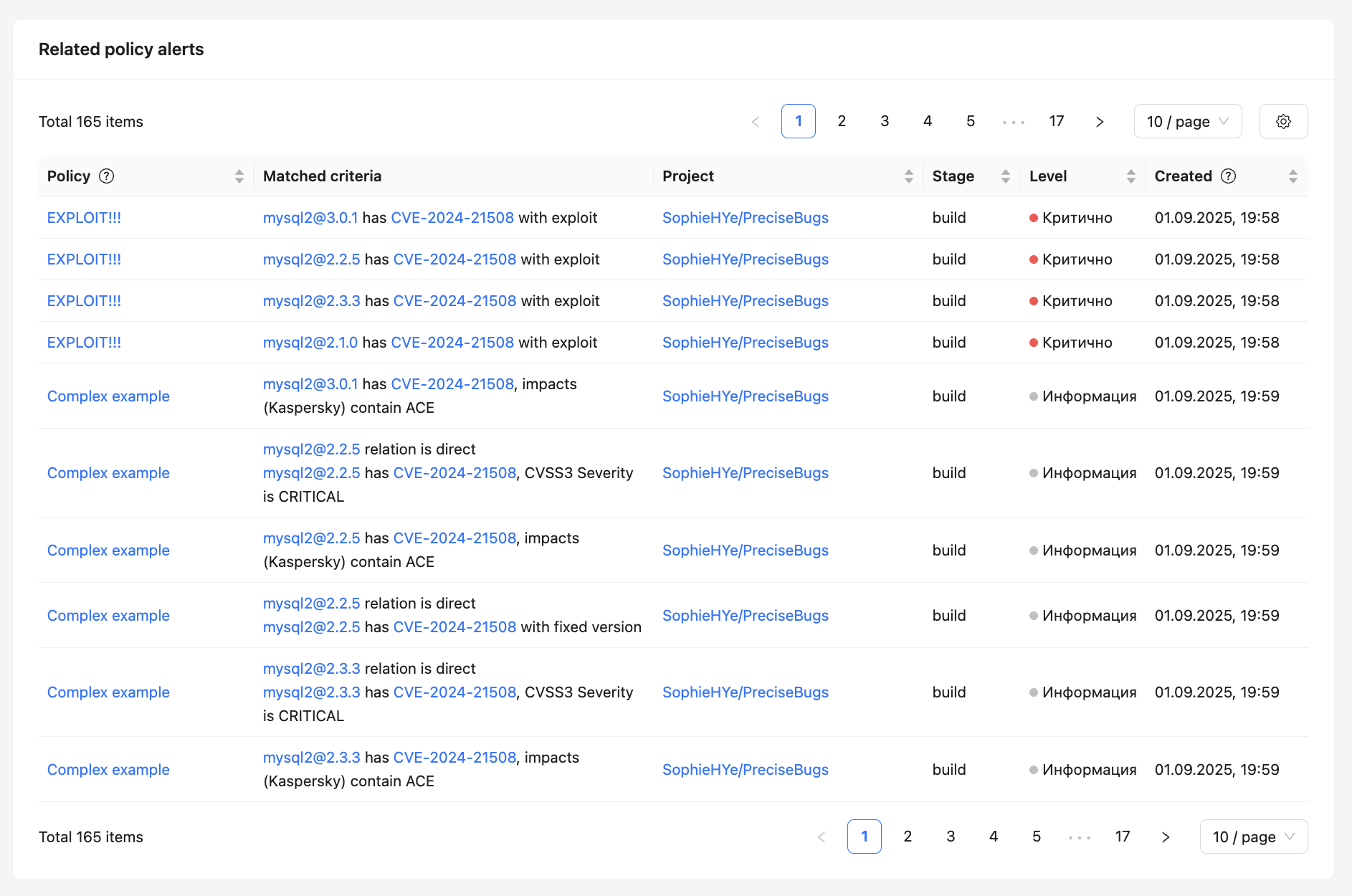
At the bottom of the page, a list of related alerts generated by security policies is displayed.
For each alert, the following is displayed:
- the policy under which it was created;
- triggering conditions;
- project and development stage;
- severity level;
- creation date and time.
This allows to quickly understand which security policies the vulnerability affects and where exactly it impacts the project.
Additional information
The right side of the page also displays:
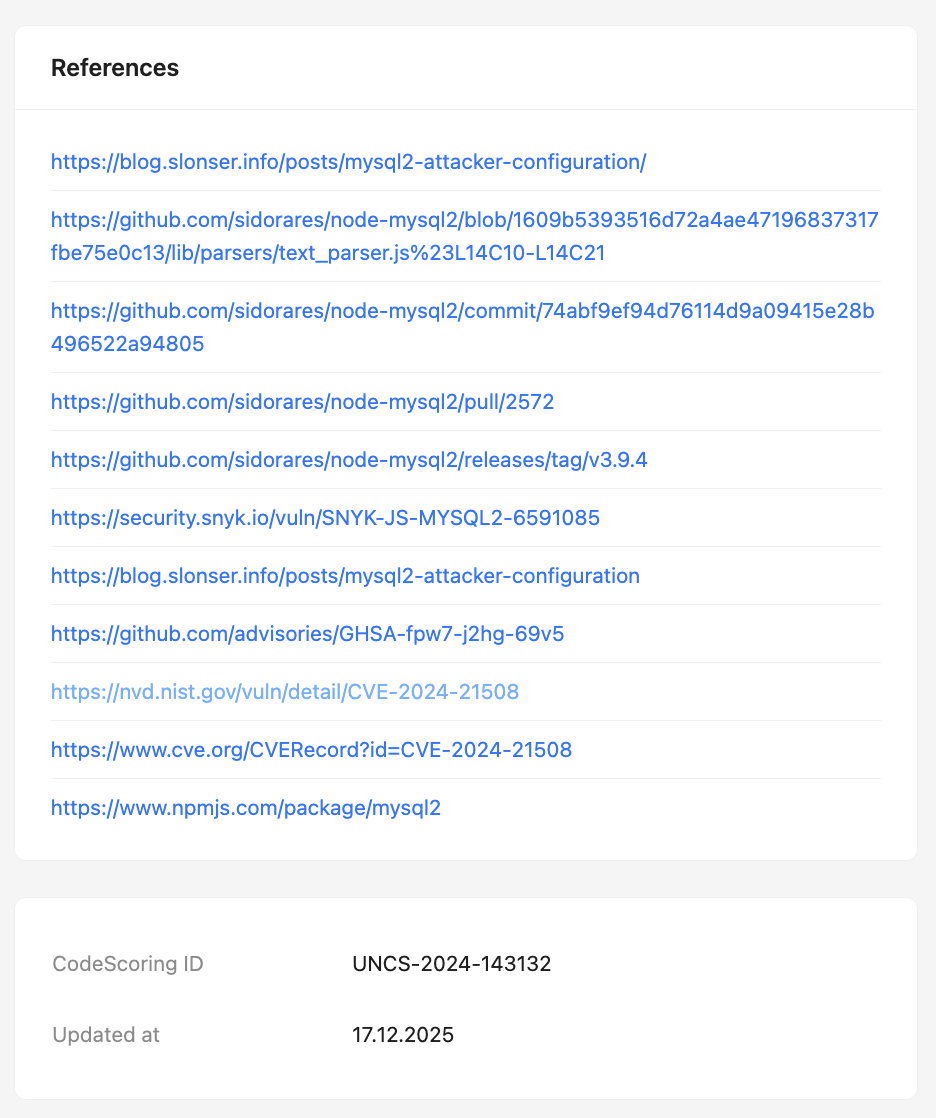
- Links to external resources (NVD, CVE.org, GitHub, and others);
- Internal vulnerability identifier in CodeScoring;
- Date of the last data update.